
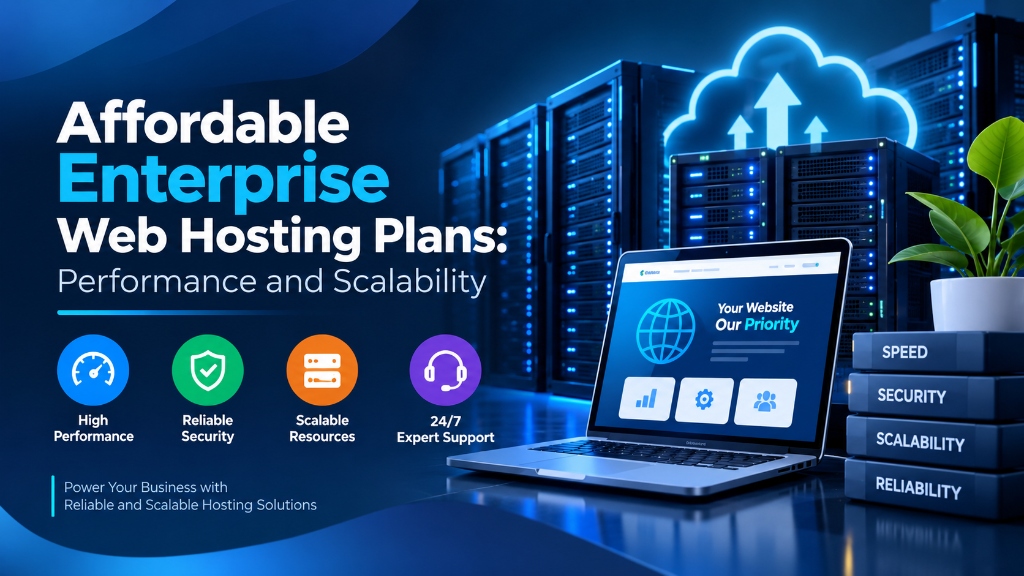
Deploying an enterprise Web Hosting from Onlive Infotech delivers hardware-isolated computing resources, enterprise PCIe Gen4 NVMe storage arrays, and multi-gigabit Tier-1 network uplinks. It provides scalable performance, deterministic I/O throughput, and complete administrative control with 99.9% uptime SLA.
Explore our flexible VPS hosting plans for flexible virtualization.
- High-Throughput Compute: Physical core reservations with zero hypervisor contention guarantee predictable application performance.
- PCIe Gen4 NVMe Arrays: High-IOPS solid-state storage accelerates database queries, caching layers, and web application response times.
- Enterprise Network Uplinks: Redundant carrier feeds and automated DDoS filtering preserve service continuity under intense traffic spikes.
Starting an online presence on entry-level web hosting is one of the most practical and cost-effective decisions a business can make. However, as an e-commerce storefront, SaaS platform, or content publishing portal gains traction, website owners inevitably confront technical growing pains. Increased concurrent traffic, expanding product catalogs, heavy database queries, and background marketing automation tasks begin pushing against the hardware boundaries of shared server environments. For mission-critical single-tenant workloads, deploy our enterprise dedicated server infrastructure with unshared physical compute. For organizations scaling high-throughput compute workloads, our Cheap VPS server hosting solutions provides dedicated unmetered performance and enterprise hardware isolation.
Planning for long-term digital growth requires establishing a defined scalability roadmap. Web infrastructure must not be viewed as a static utility, but as a modular architecture capable of scaling smoothly from budget-friendly multi-tenant configurations into high-throughput virtualized compute. By launching on optimized reliable web hosting plans and executing timely transitions into managed VPS hosting, organizations ensure uninterrupted uptime, rapid database execution, and predictable hosting costs. This technical architectural guide examines web hosting scalability paths, identifies the precise technical indicators that signal when a website has outgrown shared hosting, details zero-downtime migration protocols, and compares vertical and horizontal scaling paradigms. When selecting a server administration interface, review our comprehensive Plesk vs cPanel control panel guide.
Identifying the Technical Tipping Point: When to Upgrade Hosting
Rather than upgrading arbitrarily based on calendar milestones or subjective impressions, systems administrators monitor objective server metrics to identify when an application requires more computing power.
1. CloudLinux LVE Fault Frequency
On hosting servers governed by CloudLinux, query your cPanel or DirectAdmin resource usage metrics. If your account consistently logs daily Memory Faults (mF), CPU Throttles, or Entry Process Faults (eF), your application’s concurrent requests exceed the shared plan’s kernel limits. When entry processes max out, Apache queues incoming requests or returns HTTP 508 Resource Limit Reached errors, turning potential customers away.
2. Persistent Database Connection Contention
Shared web hosting plans limit concurrent MySQL/MariaDB connections (typically 30 to 50 simultaneous connections per database user). As shopping traffic increases, concurrent database queries wait on available sockets, resulting in Error establishing a database connection or User already has more than 'max_user_connections' active connections alerts during peak sales events.
3. PHP Execution and Memory Starvation
Modern content management systems and e-commerce plugins (such as WooCommerce, Yoast SEO, and Page Builders) require substantial RAM to compile dynamic requests. If administrative tasks, catalog exports, or automated backups consistently trigger Fatal error: Allowed memory size of bytes exhausted, the application has outgrown the shared environment’s memory boundaries.
Kernel Level Resource Constraints: cgroups and I/O Throttling
To appreciate why shared environments fail under traffic spikes, one must understand how multi-tenant Linux hosts enforce boundaries. Shared servers utilize Linux Control Groups (cgroups) via containerization layers such as CloudLinux LVE or systemd slices. Each user account is assigned hard ceilings on CPU cycles, memory allocations, input/output operations per second (IOPS), and process thread counts.
1. Linux OOM (Out of Memory) Killer Behavior
When an unoptimized PHP script or complex database query exceeds the allocated memory ceiling (for example, 1 GB or 2 GB RAM), the Linux kernel invokes the Out-of-Memory (OOM) killer mechanism. In shared environments, the kernel abruptly terminates the offending child process with a SIGKILL signal. To the visitor, this translates instantly into a 500 Internal Server Error or an incomplete white page. In contrast, on a dedicated cloud VPS, the operating system can tap into dynamically configured swap partitions and kernel paging algorithms to absorb temporary memory spikes without killing active processes.
2. Storage I/O Contention and IOPS Saturation
Even if CPU utilization remains modest, shared hosting accounts are heavily throttled on disk throughput. Typical shared plans cap disk I/O at 5 MB/s to 10 MB/s and IOPS at 1024 operations per second. When multiple visitors trigger uncached database operations, disk queues back up rapidly. System administrators can evaluate storage latency using command-line diagnostic tools:
Vertical Scaling (Scaling Up): Moving from Shared to Cloud VPS
The most common and immediate architectural transition for growing websites is Vertical Scaling (Scale-Up). Vertical scaling involves moving the entire application stack—web server, database, caching daemon, and email services—from a multi-tenant shared environment to a dedicated Virtual Private Server (VPS) with isolated hardware resources.
1. Dedicated Resource Guarantees
On a Cloud VPS, your operating system runs inside a dedicated KVM (Kernel-based Virtual Machine) hypervisor instance. You receive 100% dedicated virtual CPU cores, unshared physical RAM, and isolated NVMe block storage. No neighboring tenant can throttle your CPU execution cycles or consume your memory buffer.
2. Full Root Administrative Autonomy
Unlike shared hosting where server configurations are locked down, a VPS grants complete root administrative access via SSH. Administrators can install custom PHP extensions, configure Redis Unix socket daemons, tune MariaDB InnoDB buffer pools, deploy Node.js API microservices, and configure custom firewall filtering rules.
Zero-Downtime Migration Architecture: Step-by-Step Runbook
Executing a migration from shared hosting to a cloud VPS without dropping customer orders or interrupting active browsing sessions requires disciplined execution. Follow this standardized production cutover protocol:
1. Pre-Migration DNS TTL Reduction
Forty-eight hours prior to migration, reduce the Time-to-Live (TTL) value of all domain DNS records from 86,400 seconds (24 hours) down to 300 seconds (5 minutes). This guarantees that global recursive DNS resolvers purge cached IP addresses quickly once the new server IP is published. To achieve balanced multi-instance agility and cost efficiency, pair your deployment with Cheap dedicated server hosting infrastructure featuring high-speed NVMe storage arrays.
2. Generating and Exporting cPanel Account Backups
If moving between cPanel-enabled environments, generate a full cpmove backup archive containing all web files, MySQL databases, email forwarders, and SSL certificates:
3. Restoring and Validating Account on the Target VPS
On the target Cloud VPS, restore the full account archive via command line:
4. Database Delta Synchronization
Before switching DNS records, temporarily place the website into maintenance mode to prevent database writes. Export a final delta database dump from the shared host and import it onto the VPS to guarantee zero transactional loss:
5. Updating DNS Records and Verifying Live Traffic
Update your domain’s A-record to point to the new VPS static IPv4 address. Monitor real-time access logs on the target VPS to confirm successful traffic redirection:
Operating System and Kernel Optimization for VPS Workloads
Upon completing the base server migration, systems engineers must tune Linux kernel parameters to access the full computational throughput of dedicated virtual resources. Default operating system installations ship with conservative networking and file handle limits tailored for general desktop or low-volume utility workloads.
1. Linux Kernel Networking Tuning (sysctl.conf)
High-concurrency web servers running on cloud VPS environments require expanded network socket queues to handle thousands of simultaneous TLS handshakes without dropping SYN packets. Append these production parameters to /etc/sysctl.conf and apply them with sysctl -p:
2. Security Limits and File Descriptors (limits.conf)
Every active HTTP connection, database socket, and cached asset requires an open file descriptor. If worker processes exhaust system limits, Nginx or Apache logs Too many open files errors. Configure elevated limits in /etc/security/limits.conf:
Horizontal Scaling (Scaling Out): Decoupling the Application Stack
When an e-commerce platform or SaaS enterprise experiences massive scale (hundreds of thousands of daily visitors), even a high-specification single server will encounter hardware bottlenecks. At this stage, organizations transition from vertical scaling to Horizontal Scaling (Scale-Out), decomposing the application into dedicated, specialized architectural tiers.
1. Decoupling Web Compute from Database Storage
In a multi-tier cluster, frontend web servers are separated entirely from the database tier. Stateless web nodes run Nginx and PHP-FPM behind a central load balancer. When traffic surges, administrators spin up additional virtual cloud nodes to absorb traffic. Meanwhile, the stateful database layer runs on a dedicated, high-memory bare-metal server equipped with Hardware RAID-10 NVMe storage, ensuring consistent sub-millisecond query execution.
2. Centralized In-Memory Caching and Session Storage
When multiple web frontend instances serve traffic, customer sessions and application caches must be centralized so that shoppers do not lose their shopping carts when routed between different web nodes. A dedicated Redis or Memcached cluster serves as a unified caching layer across all web instances.
Web Hosting Growth Pathways: Technical Comparison
| Architecture Level | Monthly Traffic Scope | Computing Footprint | Database Performance | Administrative Responsibility |
|---|---|---|---|---|
| Tier 1: Entry Shared Hosting | < 25,000 visits | Shared Multi-Tenant (LVE Governed) | Shared MariaDB Instance | Fully Managed by Provider |
| Tier 2: Business Shared / Semi-Dedicated | 25,000 – 100,000 visits | High-Limit LVE (2 vCPU / 4GB RAM) | Dedicated Redis Object Cache | Fully Managed by Provider |
| Tier 3: Cloud VPS (Dedicated Instance) | 100,000 – 500,000 visits | Dedicated KVM Virtual Cores (4-8 vCPUs) | Tuned Local MariaDB / NVMe | Root Access (Self or Managed) |
| Tier 4: Multi-Tier Hybrid Cluster | 1,000,000+ visits | Autoscaling Web Nodes + Dedicated DB | Clustered Primary-Replica DB | DevOps / Systems Engineering |
Post-Upgrade Performance Tuning on Cloud VPS
Once you complete a vertical migration from shared hosting to a cloud VPS, apply these server-level optimizations to maximize your new hardware capacity:
- Tune MariaDB InnoDB Buffer Pool: In
/etc/my.cnf, allocate 50% to 60% of total system RAM toinnodb_buffer_pool_size, allowing the database engine to cache entire table indexes in memory. - Deploy Redis Object Caching: Configure a local Redis daemon listening on a Unix domain socket (
/var/run/redis/redis.sock) to cache persistent CMS query results in RAM. - Configure PHP-FPM Dynamic Process Pools: Tune
pm.max_children,pm.start_servers, andpm.max_requestsin your PHP-FPM configuration to match available memory, eliminating process recycling delays. - Implement Automated Daily Off-Site Snapshots: Configure automated cron jobs streaming compressed database dumps and file archives to S3-compatible cloud storage, guaranteeing point-in-time disaster recovery.
Frequently Asked Questions
Q:
How do I know when my website has outgrown its cheap web hosting plan?
Q:
What is the difference between vertical scaling and horizontal scaling?
Q:
Will my website experience downtime during a hosting migration?
Q:
Can I keep my cPanel control panel when upgrading from shared hosting to a VPS?
Q:
Why is dedicated RAM on a VPS superior to shared memory?
Infrastructure Decision Framework: Choosing Your Deployment
Balancing low latency transit, dedicated hardware isolation, and predictable operating costs ensures long-term performance stability for enterprise applications.
Deploy high-performance scalable VPS hosting solutions equipped with enterprise NVMe storage arrays, redundant network uplinks, and 24/7 expert engineering support from Onlive Infotech.
For streamlined domain management and server configuration across multi-tenant environments, refer to our comprehensive Plesk vs cPanel hosting control panel guide.
•

✓
