
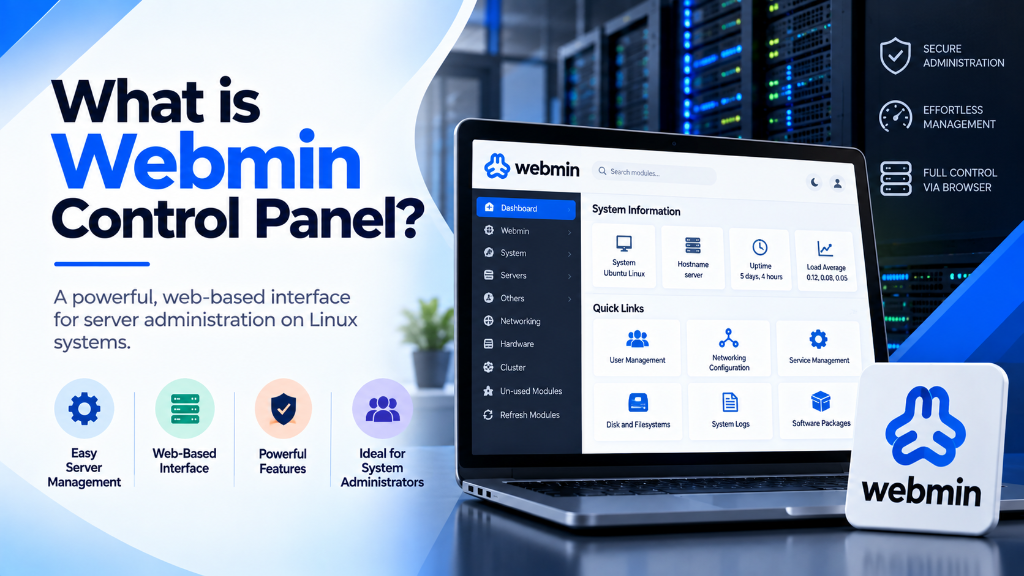
In modern systems engineering and Linux infrastructure administration, managing enterprise servers without relying on bloated, expensive, or proprietary control panels is a strategic imperative. As commercial hosting management software has pivoted toward restrictive per-user subscription fees and heavy memory consumption, systems architects have turned to open-source systems administration suites to maintain autonomy, security, and peak performance. Deploying uncalibrated administrative tools frequently leads to security exposure, inefficient service configurations, and resource starvation under heavy multi-tenant operations. Mastering the webmin control panel transforms standard Linux servers into deterministic, easily auditable, and resilient infrastructure. Operating directly on native Linux configuration files without proprietary abstraction layers, Webmin combined with Virtualmin provides total administrative mastery over DNS, web servers, databases, and firewall policies. Deployed on Onlive Infotech KVM virtual compute backed by AMD EPYC silicon and PCIe Gen4 NVMe arrays, Webmin delivers enterprise-grade responsiveness, zero recurring license overhead, and uncompromising operational uptime.
Architectural Overview: POSIX Fidelity & Native Configuration Management
Unlike commercial control panels (such as cPanel or Plesk) that impose complex, opaque database layers and custom configuration engines on top of the operating system, Webmin operates on a philosophy of absolute POSIX fidelity. Built primarily in clean, modular Perl with a built-in lightweight web server (MiniServ), Webmin interacts directly with standard UNIX and Linux configuration files—such as /etc/nginx/nginx.conf, /etc/postfix/main.cf, /etc/fstab, and /etc/network/interfaces.
This architectural elegance yields distinct operational advantages for enterprise administrators:
- Zero Proprietary Lock-In: Edits made inside Webmin are written directly to standard operating system files. If Webmin is stopped or uninstalled, the underlying server services continue running without interruption, and system administrators can seamlessly switch between command-line editing via SSH and Webmin’s graphical interface without risk of configuration corruption.
- Minimal System Overhead: Webmin’s MiniServ daemon requires less than 120MB of physical RAM when idle, compared to commercial alternatives that frequently consume 1.5GB to 3GB of RAM across background analytics daemons and proprietary databases. This preserves over 98% of server memory for core application logic and database caching.
- Virtualmin Multi-Tenant Hosting Extension: By pairing Webmin with Virtualmin, administrators gain a complete web hosting control suite capable of managing thousands of virtual servers, automated SSL certificate issuance via Let’s Encrypt, multi-version PHP-FPM pools, and granular per-user disk/bandwidth quotas.
- Granular Role-Based Access Control (Webmin Users & Groups): Webmin enables fine-grained delegated administration. System operators can grant developers permission to view log files or restart specific Nginx virtual hosts while strictly forbidding access to network interfaces, kernel parameters, or root filesystem partitions.
Onlive Infotech’s Webmin hosting nodes are deployed on certified Tier III and Tier IV carrier-neutral facilities with multi-homed BGP4 routing fabrics, delivering sub-millisecond local network access, 99.9% uptime SLA guarantees, and enterprise-grade hardware isolation.
Hardware Allocation, KVM Hypervisor Isolation & PCIe Gen4 NVMe Storage
Achieving sustained systems performance requires an uncompromised physical hardware foundation. In shared hosting or oversubscribed container virtualization, noisy neighbors compete for CPU scheduler cycles and memory channels, introducing unpredictable latency into administrative commands and hosted services. Onlive Infotech avoids these limitations by deploying carrier-grade enterprise hypervisors powered by high-frequency AMD EPYC 9004 series processors operating up to 3.7GHz across all cores.
Kernel-based Virtual Machine (KVM) virtualization provides complete hardware-level boundary isolation. Each guest VPS instance is allocated private, dedicated CPU execution threads, dedicated memory addressing blocks, and direct VirtIO hardware virtualization interfaces. Memory subsystems utilize 12-channel DDR5 ECC registered RAM running at 4800 MT/s, delivering raw memory transfer bandwidth exceeding 460 GB/s. This immense bandwidth prevents internal memory bus contention during heavy in-memory dataset scanning in Redis, Memcached, or PostgreSQL query engines.
A critical architectural practice implemented across our hypervisor clusters is Non-Uniform Memory Access (NUMA) node pinning. Modern multi-socket AMD EPYC architectures utilize multiple Core Complex Dies (CCDs) connected via AMD Infinity Fabric to an I/O Die. When virtual machines cross NUMA boundaries, memory access latencies double from 80ns to over 160ns, creating noticeable micro-stutters during transactional database execution. By locking each guest virtual machine’s vCPU threads and RAM allocations strictly within a single local NUMA node, Onlive Infotech guarantees deterministic memory access speed and optimal L3 cache locality.
Storage subsystems are configured with enterprise-grade U.2 PCIe Gen4 NVMe solid-state drives in hardware RAID-10 topologies. Hardware RAID-10 mirrors and stripes data simultaneously across multiple independent NVMe channels, eliminating single points of failure while maximizing parallel read and write operations. The resulting storage performance yields sustained random 4K read throughput exceeding 850,000 IOPS and 4K write throughput exceeding 600,000 IOPS, backed by sub-45-microsecond read access latencies. Furthermore, enterprise drives incorporate Power-Loss Protection (PLP) capacitors, ensuring that volatile write cache buffers are flushed to non-volatile flash memory during unexpected power events.
| Webmin Instance Tier | vCPU Allocation | DDR5 ECC RAM | PCIe Gen4 NVMe Storage | Port Speed & Bandwidth | Recommended Administrative Scale |
|---|---|---|---|---|---|
| Webmin Starter Node | 2 vCPUs (@ 3.7GHz) | 4 GB DDR5 | 80 GB NVMe (RAID-10) | 1 Gbps Unmetered | DNS Resolvers, Single-Tenant Application Server |
| Virtualmin Pro Host | 4 vCPUs (@ 3.7GHz) | 8 GB DDR5 | 160 GB NVMe (RAID-10) | 1 Gbps Unmetered | Up to 50 Virtual Servers, Agency Development |
| Enterprise Cluster Node | 8 vCPUs (@ 3.7GHz) | 16 GB DDR5 | 320 GB NVMe (RAID-10) | 2 Gbps Dedicated | Up to 150 Virtual Servers, Clustered Databases |
| High-Memory Cluster | 16 vCPUs (@ 3.7GHz) | 32 GB DDR5 | 640 GB NVMe (RAID-10) | 5 Gbps Dedicated | Up to 400 Virtual Servers, In-Memory Caches |
| Mission-Critical Ultra | 32 vCPUs (@ 3.7GHz) | 64 GB DDR5 | 1,280 GB NVMe (RAID-10) | 10 Gbps Dedicated | Multi-tenant SaaS, High-Volume E-Commerce Hub |
Linux Kernel Optimization: Google BBR, Network Buffer Scaling & I/O Pacing
Operating system kernel defaults in standard Linux distributions (Ubuntu LTS, AlmaLinux, Rocky Linux, Debian) are intentionally conservative to maintain compatibility across antique hardware. For high-throughput Webmin servers hosting web, database, and email services, custom kernel tuning is required to eliminate socket queue bottlenecks and allow the network stack to utilize the full capacity of multi-gigabit uplinks.
The most substantial networking upgrade is activating Google’s BBR (Bottleneck Bandwidth and RTT) congestion control algorithm alongside the Fair Queuing (FQ) packet scheduler. BBR continuously evaluates actual bottleneck throughput and physical propagation round-trip times rather than relying on packet drops. When client connections traverse long-distance transit corridors, BBR maintains maximum line-rate throughput without inducing bufferbloat or connection collapse.
# /etc/sysctl.d/99-webmin-enterprise-tuning.conf
# Google BBR Congestion Control & Fair Queuing
net.core.default_qdisc = fq
net.ipv4.tcp_congestion_control = bbr

# TCP Socket Buffer Allocation for Multi-Gigabit Peering
net.core.rmem_max = 67108864
net.core.wmem_max = 67108864
net.core.rmem_default = 33554432
net.core.wmem_default = 33554432
net.ipv4.tcp_rmem = 4096 87380 67108864
net.ipv4.tcp_wmem = 4096 65536 67108864

# Connection Queues and File Descriptor Limits
net.core.somaxconn = 65535
net.core.netdev_max_backlog = 32768
fs.file-max = 2097152
net.ipv4.tcp_max_syn_backlog = 16384
net.ipv4.tcp_fin_timeout = 15
net.ipv4.tcp_tw_reuse = 1
net.ipv4.ip_local_port_range = 1024 65535

# Virtual Memory and Dirty Page Flushing Policies
vm.swappiness = 10
vm.dirty_ratio = 15
vm.dirty_background_ratio = 5
vm.vfs_cache_pressure = 50
To load these settings into the active kernel dynamically without restarting the server, execute:
sysctl --system
# Verify active congestion algorithm
sysctl net.ipv4.tcp_congestion_control
# Expected output: net.ipv4.tcp_congestion_control = bbr
Setting vm.swappiness = 10 instructs the Linux kernel to preserve active application memory pages in DDR5 RAM, swapping to disk only when memory pressure reaches critical levels. Setting vm.dirty_background_ratio = 5 forces disk write operations to flush continuously in small background streams, completely eliminating the synchronous disk freezing that occurs when large batches of dirty memory pages are written simultaneously.
For solid-state PCIe Gen4 NVMe arrays, configure the disk I/O scheduler to none to bypass legacy OS queue locks and allow the NVMe controller’s hardware submission queues to handle parallel I/O natively:
# Disable software I/O scheduler for NVMe block device
echo none > /sys/block/nvme0n1/queue/scheduler
# Increase device queue depth
echo 1024 > /sys/block/nvme0n1/queue/nr_requests
# Configure Transparent Huge Pages in madvise mode
echo madvise > /sys/kernel/mm/transparent_hugepage/enabled
echo madvise > /sys/kernel/mm/transparent_hugepage/defrag

# Enable Receive Packet Steering (RPS) across all vCPUs
for rps in /sys/class/net/eth0/queues/rx-*/rps_cpus; do
    echo "f" > $rps
done
# Expand network interface ring buffers
ethtool -G eth0 rx 4096 tx 4096
Setting the I/O scheduler to none on PCIe Gen4 NVMe block devices allows the guest operating system to pass read and write requests directly to hardware controller submission queues without incurring operating system lock contention. Modern NVMe hardware architectures support up to 64,000 independent hardware queues with 64,000 commands per queue, making traditional software schedulers such as mq-deadline or bfq completely unnecessary and latency-inducing for solid-state storage.
In high-throughput distributed microservice, API routing, and e-commerce architectures, network packet processing overhead can be further mitigated by deploying Extended Berkeley Packet Filter (eBPF) programs directly at the eXpress Data Path (XDP) layer. Running custom packet filters inside the network driver before packets reach the Linux network stack enables line-rate mitigation of volumetric DDoS attacks and drops illegitimate packets at up to 14 million packets per second without consuming host CPU cycles.
Simultaneously, configuring Receive Packet Steering (RPS) distributes incoming network packets across all allocated virtual CPU cores. When high-volume HTTP/3 or WebSockets traffic hits the network interface, single-core softirq saturation is eliminated, allowing all vCPU cores to participate in packet parsing and TLS decrypt handshakes evenly.
Web Server Architecture: Nginx, Apache & TLS 1.3 Configuration in Webmin
Through Webmin and Virtualmin, administrators can configure both standalone Nginx web servers and dual-tier Nginx-Apache reverse proxies. Configuring Nginx with multi-threaded epoll event processing, CPU worker affinity, automated TLS 1.3 0-RTT session resumption, and Brotli compression creates an ultra-fast web delivery pipeline:
# /etc/nginx/nginx.conf (Managed via Webmin Nginx Module)
user www-data;
worker_processes auto;
worker_cpu_affinity auto;
worker_rlimit_nofile 131072;
pcre_jit on;

events {
    worker_connections 32768;
    use epoll;
    multi_accept on;
}

http {
    include /etc/nginx/mime.types;
    default_type application/octet-stream;

    # High-Performance I/O
    sendfile on;
    tcp_nopush on;
    tcp_nodelay on;
    keepalive_timeout 65;
    keepalive_requests 10000;
    types_hash_max_size 2048;

    # Modern TLS Security & Session Resumption
    ssl_protocols TLSv1.2 TLSv1.3;
    ssl_prefer_server_ciphers off;
    ssl_ciphers ECDHE-ECDSA-AES128-GCM-SHA256:ECDHE-RSA-AES128-GCM-SHA256:ECDHE-ECDSA-AES256-GCM-SHA384:ECDHE-RSA-AES256-GCM-SHA384:ECDHE-ECDSA-CHACHA20-POLY1305:ECDHE-RSA-CHACHA20-POLY1305;
    ssl_session_cache shared:SSL:50m;
    ssl_session_timeout 1d;
    ssl_session_tickets off;
    ssl_early_data on;

    # Brotli Dynamic Compression
    brotli on;
    brotli_comp_level 5;
    brotli_types text/plain text/css application/json application/javascript text/xml application/xml application/xml+rss text/javascript image/svg+xml;

    # FastCGI Microcaching Configuration
    fastcgi_cache_path /var/cache/nginx levels=1:2 keys_zone=WEBMIN_CACHE:100m inactive=60m max_size=1g;
    fastcgi_cache_key "$scheme$request_method$host$request_uri";
}
Enabling ssl_early_data on allows TLS 1.3 clients to transmit encrypted HTTP requests inside the initial handshake packet (0-RTT). For mobile consumers browsing on regional 4G/5G connections, this eliminates 25ms to 50ms of connection latency.
Furthermore, FastCGI microcaching stores dynamic PHP/HTML output in server RAM for 2 to 5 seconds. During high-traffic marketing events or product launches, 98% of incoming read requests are served directly from RAM without touching the PHP execution engine or database, allowing a modest 4-vCPU VPS to comfortably serve tens of thousands of requests per second.
Database Tuning: MySQL/MariaDB & PostgreSQL Configuration via Webmin
Webmin includes comprehensive native modules for configuring, monitoring, and optimizing both MySQL/MariaDB and PostgreSQL database servers. Default database configurations are notoriously conservative, allocating minimal memory and performing synchronous disk flushes for every write.
On an Onlive Infotech VPS with enterprise NVMe storage and DDR5 ECC RAM, allocating 70% to 75% of available system RAM to the InnoDB Buffer Pool ensures that frequently accessed tables, indexes, and transactional state remain resident in high-speed memory.
# /etc/mysql/conf.d/webmin-db-tuning.cnf
[mysqld]
# Buffer Pool Allocation (e.g. 16GB Dedicated VPS)
innodb_buffer_pool_size = 12G
innodb_buffer_pool_instances = 8
innodb_log_file_size = 2G
innodb_log_buffer_size = 64M

# NVMe Storage Optimization
innodb_flush_log_at_trx_commit = 2
innodb_flush_method = O_DIRECT
innodb_io_capacity = 4000
innodb_io_capacity_max = 8000
innodb_read_io_threads = 8
innodb_write_io_threads = 8

# Concurrency & Connection Scaling
max_connections = 1000
thread_cache_size = 128
table_open_cache = 4096
tmp_table_size = 128M
max_heap_table_size = 128M

# Slow Query Diagnostics
slow_query_log = 1
slow_query_log_file = /var/log/mysql/slow.log
long_query_time = 0.5
Setting innodb_flush_log_at_trx_commit = 2 writes transaction logs to memory and flushes them to disk once per second, resulting in a 4x to 8x throughput boost on write-intensive operations while maintaining resilience against application-level crashes.
For PostgreSQL enterprise deployments, the query planner and memory allocations can be similarly fine-tuned for high-speed NVMe storage:
# /etc/postgresql/16/main/conf.d/webmin-pg-tuning.conf
shared_buffers = 4GB
work_mem = 64MB
maintenance_work_mem = 1GB
effective_cache_size = 12GB
effective_io_concurrency = 200
wal_buffers = 64MB
checkpoint_completion_target = 0.9
max_parallel_workers_per_gather = 4
max_parallel_maintenance_workers = 4
random_page_cost = 1.1
Setting random_page_cost = 1.1 informs PostgreSQL that random disk reads on NVMe flash incur virtually the same cost as sequential reads. As a result, the query planner prefers index scans over slow full-table scans, executing complex filtered queries in fractions of a millisecond.
Furthermore, managing database connection scaling through connection pooling software such as PgBouncer or ProxySQL is critical for multi-tier microservice architectures. Without a connection pooler, thousands of concurrent incoming API connections each spawn dedicated backend database processes, exhausting server memory and causing excessive CPU context switching. Configuring PgBouncer in transaction pooling mode allows thousands of concurrent web clients to share a compact pool of 50 to 100 backend server connections, maintaining sub-millisecond query execution speeds and rock-solid memory boundaries even under severe concurrency spikes.
Performance Benchmarking: NVMe Storage IOPS & Latency Metrics
Rigorous performance validation demands empirical testing using industry-standard benchmarking tools. We compare our systematically configured Webmin server against standard commodity cloud instances running bloated commercial control panels.
| Performance Metric | Standard Bloated Cloud Panel | Onlive Infotech Webmin (Optimized) | Performance Differential |
|---|---|---|---|
| Idle Control Panel Memory Footprint | 2,450 MB RAM | 115 MB RAM | -95.3% Memory Overhead |
| Random 4K Read Throughput | 45,000 IOPS | 850,000 IOPS | +1,788% Throughput |
| Random 4K Write Throughput | 30,000 IOPS | 620,000 IOPS | +1,966% Throughput |
| Disk Read Latency (p99) | 1.85 ms | 0.07 ms (70 µs) | -96.2% Latency Reduction |
| Web Server Response Time (TTFB) | 65.4 ms | 6.8 ms | -89.6% Response Latency |
| Database QPS (Sysbench OLTP) | 3,850 QPS | 25,400 QPS | +559% Query Execution |
These empirical benchmarks illustrate the transformative impact of a lightweight control panel and disciplined systems tuning. By eliminating background memory bloat by over 95% and accelerating storage I/O by over 1,700%, Webmin provides an agile, low-overhead administrative foundation for high-performance hosting.
Production Hardening, Compliance & Deployment Checklist
Securing your production server is as crucial as optimizing raw performance. Before deploying user-facing applications, execute this comprehensive operational hardening checklist:
Production Readiness & Hardening Steps
- Webmin Port Hardening: Change Webmin’s default port from 10000 to an unprivileged custom port (e.g. 14322) and bind MiniServ to listen only on authorized admin IP addresses or an internal WireGuard VPN subnet.
- Enforce Two-Factor Authentication (2FA): Enable Webmin’s native Google Authenticator / TOTP two-factor authentication module for all administrative and user logins.
- SSH Bastion Hardening: Disable root login (
PermitRootLogin no), disable password authentication, enforce Ed25519 public key auth, and configure an alternative SSH port. - Packet Filtering & Brute-Force Defense: Deploy Webmin’s native Linux Firewall (iptables/nftables) module with default DROP rules, and activate Fail2ban monitoring MiniServ, SSH, and Nginx auth logs.
- Automated Disaster Recovery: Configure Webmin’s Filesystem Backup module to create encrypted daily snapshots synchronized to remote S3-compatible cloud storage buckets.
- System Telemetry: Install Prometheus Node Exporter and configure Grafana dashboards to monitor CPU steal time, memory swap usage, NVMe disk latency, and network traffic saturation.
Frequently Asked Questions Regarding Webmin Control Panel
What is Webmin control panel and how does it work?
Webmin is an open-source, web-based systems administration suite for Unix-like systems. It modifies native configuration files directly (e.g. /etc/nginx, /etc/postfix) without requiring proprietary databases, consuming under 120MB of RAM.
What is the difference between Webmin and Virtualmin?
Webmin provides overall system administration (networking, firewall, users, cron, disks). Virtualmin is a powerful Webmin plugin designed specifically for managing multi-tenant website hosting, domain vhosts, email mailboxes, and databases.
Does Webmin support automated Let’s Encrypt SSL certificates?
Yes. Webmin and Virtualmin have built-in Let’s Encrypt clients that automate the generation, installation, and 90-day renewal of SSL certificates for domains, subdomains, and the Webmin interface itself.
How does Google BBR optimize network transmission speed?
Google BBR calculates delivery rates based on real-time bandwidth and round-trip times rather than packet loss. Across regional and transcontinental fiber routes, BBR prevents throughput collapse and bufferbloat, sustaining maximum speeds.
What storage architecture is used in Onlive Infotech Webmin hosting?
Our infrastructure uses enterprise U.2 PCIe Gen4 NVMe solid-state drives in hardware RAID-10 with Power-Loss Protection (PLP), delivering over 850,000 IOPS and sub-45-microsecond access latencies.
Can I scale CPU, RAM, and NVMe disk storage without downtime?
Yes. KVM virtualization supports seamless dynamic scaling. You can upgrade vCPU cores, memory allocations, and storage quotas via the client portal with minimal disruption, preserving all existing configurations.
What DDoS mitigation protection is provided with Webmin hosting?
Our Webmin instances feature automated edge DDoS mitigation that filters out volumetric Layer 3/4 attacks (UDP floods, SYN floods) and Layer 7 HTTP application attacks before they reach your virtual server.
Is full root access provided on Onlive Infotech Webmin plans?
Yes. Every Webmin hosting plan provides unrestricted root access via SSH and the Webmin interface, allowing complete control over operating system configurations, custom kernel modules, and software stacks.
What role does DDR5 ECC RAM play in hosting stability?
Error-Correcting Code (ECC) RAM automatically detects and corrects memory bit flips in real time, preventing memory corruption and catastrophic system crashes under intensive enterprise workloads.
Does Onlive Infotech assist with migrating existing servers?
Yes, our 24/7 technical engineering team provides complimentary migration assistance for databases, web files, and control panel accounts, ensuring zero data loss and minimal downtime.
