
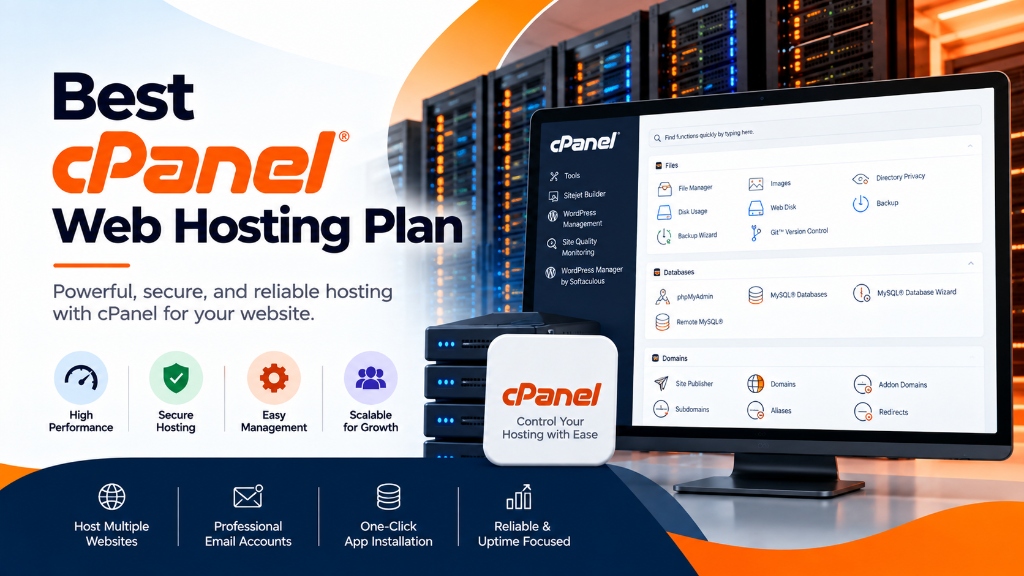
Selecting a web hosting control panel dictates administrative automation, client provisioning workflows, and resource governance. Whether deploying cPanel & WHM for commercial reseller hosting with CloudLinux LVE isolation, or Plesk Obsidian for multi-tier agency development with native Docker, Git webhooks, and Windows Server support, choosing the right platform eliminates management overhead.
Explore our flexible VPS hosting plans for flexible virtualization.
- Workflow Automation: Native API integration with WHMCS for zero-touch account creation, quota scaling, and billing suspension.
- Multi-Tenant Isolation: Strict permission boundaries and resource controls protect parent server stability from individual tenant spikes.
- Operating System Alignment: Choose cPanel for Enterprise Linux or Plesk for dual Linux/Windows hybrid environments.
Selecting the optimal cPanel web hosting plan requires examining the underlying server virtualization, operating system kernel controls, and hardware resource allocations that power the hosting environment. While cPanel and WebHost Manager (WHM) remain the global gold standard for graphical hosting management, hosting plans labeled simply as “cPanel Hosting” vary dramatically in performance, security isolation, and operational reliability. A poorly configured shared server running hundreds of cPanel accounts on a generic Linux distribution frequently suffers from the noisy neighbor effect, where a single traffic spike or runaway database query on one site degrades performance for every other domain on the machine. For mission-critical single-tenant workloads, deploy our enterprise web hosting services with unshared physical compute. For organizations scaling high-throughput compute workloads, our scalable Linux VPS hosting solutions provides dedicated unmetered performance and enterprise hardware isolation.
Enterprise-grade web hosting departs from unmanaged shared hosting by pairing cPanel with specialized operating systems and kernel-level resource governance. By deploying optimized cPanel web hosting platforms or scaling into isolated cPanel VPS hosting environments, businesses and digital agencies guarantee deterministic performance, rapid page load times, and hardened security. This technical guide explores modern cPanel hosting architecture, details CloudLinux Lightweight Virtual Environment (LVE) resource partitioning, configures EasyApache 4 with Event MPM and PHP-FPM, implements CageFS multi-tenant filesystem isolation, and provides an objective benchmark for evaluating hosting plans. When selecting a server administration interface, review our comprehensive Sentora open-source control panel deployment guide.
The Architecture of Modern cPanel Hosting: The CloudLinux Foundation
Traditional shared Linux web hosting groups all tenant accounts under a shared pool of physical server memory, CPU time, and disk I/O channels. If an un-optimized WordPress plugin triggers an infinite PHP loop or an e-commerce site experiences a sudden traffic surge, the server’s load average spikes, causing 503 Service Unavailable errors across all hosted sites. Production cPanel hosting resolves this vulnerability by running on top of CloudLinux OS.
1. Kernel-Level Resource Governance via LVE
CloudLinux embeds a proprietary kernel module known as the Lightweight Virtual Environment (LVE). LVE isolates each individual cPanel user into a containerized sandbox, enforcing strict per-account hardware resource boundaries:
- SPEED (CPU Limit): Defines the maximum percentage of CPU capacity an account can consume (e.g., 100% represents 1 full CPU core, while 200% grants 2 dedicated physical cores). When an account hits its limit, CPU throttling slows down that specific account’s processes without impacting other accounts on the server.
- PMEM (Physical Memory Limit): Allocates a hard ceiling on resident physical RAM (e.g., 2 GB or 4 GB per cPanel account). If user scripts exceed this threshold, the kernel immediately terminates offending child processes, protecting the host system from out-of-memory kernel panics.
- IO & IOPS (Storage Throughput Limits): Restricts raw disk read/write bandwidth (e.g., 20 MB/s to 50 MB/s) and random I/O operations per second (e.g., 1,024 IOPS), preventing heavy database exports or backup compression routines from choking the shared NVMe storage controller.
- EP (Entry Processes / Concurrent Connections): Limits simultaneous Apache/PHP connections (typically 20 to 50 concurrent requests). This mitigates low-level HTTP flood attacks and rogue web crawler scrapers.
2. Absolute Multi-Tenant Filesystem Isolation with CageFS
In standard Linux server hosting, users can traverse system directories (such as /etc, /tmp, and /var/log) and view other tenant usernames, system processes, and installed libraries. CageFS encapsulates each cPanel user inside their own private virtualized filesystem. Users cannot view server configuration files, inspect other users’ directory trees, or view running processes outside their own sandbox, eliminating local privilege escalation vectors.
EasyApache 4 Optimization: Event MPM, HTTP/2, and PHP-FPM Pools
At the application delivery tier, cPanel relies on EasyApache 4 (EA4) to compile and manage web server modules. The legacy Apache prefork MPM (Multi-Processing Module) spawned a dedicated operating system process for every incoming HTTP connection, consuming 20 MB to 40 MB of RAM per connection. Modern cPanel hosting requires an asynchronous, threaded web server model.
1. Deploying the Event MPM Architecture
The Event MPM decouples connection handling from execution threads. A small pool of listener threads manages thousands of concurrent client connections, passing requests to worker threads only when active data is being transmitted. This slashes baseline memory utilization by up to 80%:
2. Domain-Level PHP-FPM Configuration
cPanel integrates automated PHP-FPM management directly into the WHM MultiPHP Manager. Instead of running PHP through slow CGI or suPHP wrappers, PHP-FPM maintains persistent worker pools listening on dedicated Unix domain sockets:
Tuning pm_max_requests = 500 ensures that PHP-FPM worker processes are recycled periodically, preventing memory leaks in complex CMS plugins from degrading system stability.
Advanced Caching and Dynamic Acceleration
High-performance cPanel hosting plans incorporate multi-layered caching architectures to accelerate page delivery and minimize database load.
1. Zend OPcache Shared Memory Optimization
Zend OPcache compiles PHP scripts into operational code (opcode) and stores the bytecode in shared RAM, eliminating disk read overhead on subsequent visits. In /etc/cpanel/ea-php82/php.d/10-opcache.ini, optimize memory limits:
2. Redis In-Memory Object Caching
Premium cPanel hosting plans grant users access to dedicated Redis instances. In-memory object caching caches complex SQL query results, navigation menus, and widget outputs directly in RAM. For dynamic platforms like WordPress and Magento, Redis object caching reduces database query execution from 120+ queries per page down to fewer than 15, lowering server response latency below 100ms.
Database Performance Tuning: MariaDB for Multi-Tenant Workloads
cPanel natively supports MariaDB 10.6 and 10.11 as drop-in replacements for MySQL. To prevent database contention across hundreds of accounts, configure InnoDB buffer pools and query execution limits in /etc/my.cnf: To achieve balanced multi-instance agility and cost efficiency, pair your deployment with enterprise dedicated server infrastructure featuring high-speed NVMe storage arrays.
Enabling MariaDB’s pool-of-threads architecture ensures that hundreds of simultaneous database connections from various cPanel accounts do not create individual operating system threads, preventing severe context-switching overhead on multi-core processors.
Command-Line Diagnostics: Troubleshooting cPanel Infrastructure via WHM CLI
While the graphical interface provides intuitive management for end-users, system administrators rely on command-line utilities to inspect system performance, audit resource hogs, and manage service daemons. CloudLinux and cPanel provide specialized CLI binaries located in /usr/sbin and /scripts.
1. Real-Time Resource Monitoring via lveinfo and lvetop
When a customer reports slow website response times, administrators query CloudLinux LVE logs to determine whether the account is exceeding its assigned CPU, memory, or entry process limits:
The lveinfo utility displays granular fault codes—such as mF (Memory Fault) or eF (Entry Process Fault)—allowing support engineers to identify exact bottleneck causes within seconds.
2. WHM API 1 Automation for Headless Account Governance
cPanel includes a comprehensive REST and CLI management interface: WHM API 1. Administrative tasks—such as modifying account resource quotas, creating new hosting accounts, or modifying DNS zone files—can be automated via bash scripts without accessing the browser:
Enterprise Email Infrastructure: Exim, Dovecot, and Anti-Spam Filtering
Email hosting remains one of the most critical services provided in cPanel web hosting. A resilient hosting plan implements deep anti-spam and deliverability controls to prevent IP blacklisting and secure user inboxes.
1. Outbound Rate Limiting and Deliverability Protection
In WHM Tweak Settings, administrators enforce strict hourly email sending limits per domain (e.g., 200 emails per hour) to prevent compromised contact forms from spamming recipient mail servers. To maintain high deliverability, cPanel integrates MailChannels or custom Exim smart hosts to route outbound mail through verified reputation networks, ensuring 99%+ inbox placement.
2. Inbound Protection with Apache SpamAssassin and Greylisting
cPanel provides automated inbound email hygiene through Apache SpamAssassin and automated Greylisting. Greylisting temporarily rejects emails from unknown mail servers with a 451 SMTP code; legitimate mail transfer agents retry delivery after several minutes, while automated spam bots abandon the connection, eliminating up to 90% of unsolicited bulk email at zero CPU cost.
Security Automation: ModSecurity, Imunify360, and Automated Backups
A reliable cPanel hosting plan must provide comprehensive, multi-layered security protections operating continuously in the background.
1. Web Application Firewall (WAF) with ModSecurity
cPanel integrates ModSecurity directly into WHM, allowing administrators to deploy real-time inspection rulesets (such as the OWASP Core Rule Set or Comodo WAF). ModSecurity analyzes incoming HTTP headers, POST bodies, and query strings, blocking malicious SQL injections, cross-site scripting (XSS), and automated bot exploits before traffic touches website code.
2. Automated Proactive Defense with Imunify360
Leading enterprise hosting environments deploy Imunify360 on top of cPanel. Imunify360 combines artificial intelligence-driven intrusion prevention (IDS/IPS), real-time file scanning, web reputation management, and automated PHP patch management to neutralize zero-day vulnerabilities and quarantine infected files automatically.
3. Automated Backup Governance: JetBackup 5
Standard cPanel backups compress full account archives into local storage, consuming valuable disk space and server I/O. Enterprise hosting plans implement JetBackup 5, which executes incremental, block-level backups directly to off-site S3 or cloud storage repositories. Users can perform granular point-in-time restores of single files, MySQL databases, cron jobs, or DNS zones directly from their cPanel interface without administrator intervention.
Comparing cPanel Hosting Plan Tiers: Which Plan Fits Your Requirements?
| Hosting Plan Tier | Target Workload | LVE Resource Allocation | Isolation Model | Recommended Use Case |
|---|---|---|---|---|
| Starter cPanel Plan | Low-Traffic Blogs, Portfolios | 1 vCPU / 1 GB RAM / 10 MB/s IO | CloudLinux LVE + CageFS | Personal & Informational Websites |
| Business cPanel Plan | Growing E-Commerce, Lead-Gen | 2 vCPU / 4 GB RAM / 30 MB/s IO | High-Limit LVE + Redis Object Cache | WooCommerce Stores, Corporate Sites |
| Semi-Dedicated cPanel | High-Traffic Publishing, Portals | 4 vCPU / 8 GB RAM / 50 MB/s IO | Strict Low Account Density (< 20 sites) | High-Volume Portals, Busy Forums |
| cPanel VPS Hosting | Agencies, SaaS, High Scale | Dedicated Virtual Cores & RAM | Hardware-Level Virtualization (KVM) | Full Root Access & Custom Modules |
Frequently Asked Questions
Q:
Which control panel is better for web hosting, cPanel or Plesk?
Q:
Can I migrate existing websites from cPanel to Plesk without data loss?
Q:
What operating systems support modern web hosting control panels?
Q:
How does a control panel simplify multi-tenant account isolation?
Q:
Is root administrative access required to install and manage a control panel?
Q:
What automated backup mechanisms are integrated into hosting control panels?
Infrastructure Decision Framework: Choosing Your Deployment
Balancing low latency transit, dedicated hardware isolation, and predictable operating costs ensures long-term performance stability for enterprise applications.
Deploy high-performance scalable VPS hosting solutions equipped with enterprise NVMe storage arrays, redundant network uplinks, and 24/7 expert engineering support from Onlive Infotech.
For streamlined domain management and server configuration across multi-tenant environments, refer to our comprehensive Plesk vs cPanel hosting control panel guide.
•

✓
