
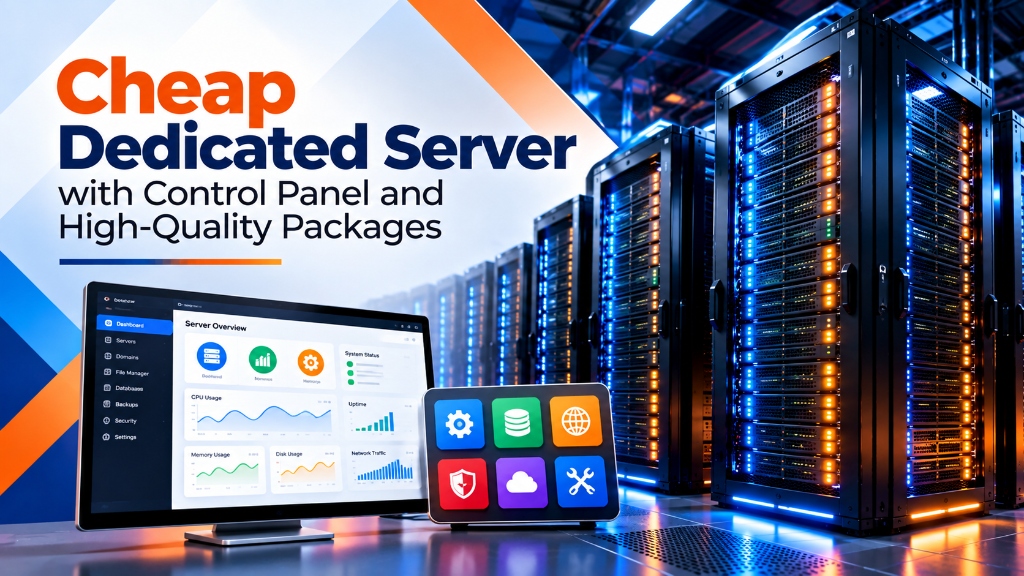
Deploying an enterprise Dedicated Server from Onlive Infotech delivers hardware-isolated computing resources, enterprise PCIe Gen4 NVMe storage arrays, and multi-gigabit Tier-1 network uplinks. It provides scalable performance, deterministic I/O throughput, and complete administrative control with 99.9% uptime SLA.
Explore our flexible VPS hosting plans for flexible virtualization.
- High-Throughput Compute: Physical core reservations with zero hypervisor contention guarantee predictable application performance.
- PCIe Gen4 NVMe Arrays: High-IOPS solid-state storage accelerates database queries, caching layers, and web application response times.
- Enterprise Network Uplinks: Redundant carrier feeds and automated DDoS filtering preserve service continuity under intense traffic spikes.
Deploying a web hosting control panel on a bare-metal dedicated server requires a fundamentally different systems architecture strategy than provisioning a virtual private server. In virtualized environments, the underlying hypervisor abstracts hardware controllers, virtualizes storage volumes, and handles CPU scheduling across shared physical cores. When operating on bare-metal enterprise dedicated server hosting, the systems administrator holds direct, unfiltered access to physical silicon, hardware RAID controllers, Non-Uniform Memory Access (NUMA) nodes, and out-of-band management interfaces. For mission-critical single-tenant workloads, deploy our high-availability cloud server infrastructure with unshared physical compute. For organizations scaling high-throughput compute workloads, our Cheap dedicated server hosting infrastructure provides dedicated unmetered performance and enterprise hardware isolation.
Pairing bare-metal hardware with a modern control panel—whether commercial platforms like cPanel & WHM and Plesk Obsidian, or resilient open-source stacks like Webmin/Virtualmin and HestiaCP—transforms raw enterprise compute into a scalable, multi-tenant hosting powerhouse. However, realizing the full potential of dedicated hardware requires aligning the control panel’s process execution model with physical hardware topologies. This systems engineering manual details how to orchestrate control panels on bare-metal dedicated infrastructure, configure storage partitions across enterprise RAID arrays, optimize CPU core affinity, manage multi-IP allocations, and automate disaster recovery. When selecting a server administration interface, review our comprehensive Plesk vs cPanel control panel guide.
Bare-Metal Compute vs. Virtualization: The Control Panel Advantage
While cloud instances and virtual private servers offer rapid provisioning, running control panels directly on dedicated bare metal delivers measurable architectural advantages for high-throughput hosting environments.
1. Elimination of Hypervisor Overhead and Noisy Neighbors
In virtualized hosting, hypervisors (such as KVM, VMware ESXi, or Proxmox) consume between 5% and 10% of raw compute capacity solely managing virtual CPU context switching, memory page translation tables, and emulated device drivers. More critically, shared hypervisors suffer from “noisy neighbor” contention, where an intensive workload running on an adjacent virtual machine steals I/O bandwidth and L3 processor cache lines.
On a dedicated bare-metal server, 100% of physical CPU cycles, memory channels, NVMe bus lanes, and network interface card (NIC) ring buffers belong exclusively to your control panel and its hosted websites. A database query executing on a bare-metal server interacts directly with PCIe storage controller registers without traversing a virtualization abstraction layer.
2. Direct Access to Hardware Out-of-Band Interfaces (IPMI / iDRAC)
If a virtual private server encounters a corrupted control panel configuration, broken network interface rule, or kernel panic, recovery often requires submitting support tickets to the hosting provider. Bare-metal dedicated servers feature independent, dedicated Out-of-Band (OOB) hardware microcontrollers—such as IPMI 2.0 (Intelligent Platform Management Interface), Dell iDRAC, or HP iLO.
Out-of-band interfaces operate on an isolated physical network port powered by a dedicated auxiliary chip. Even if the server operating system freezes or the control panel web interface is completely unreachable, administrators can establish an encrypted HTML5 KVM console session, inspect pre-boot BIOS/UEFI logs, power-cycle the physical hardware remotely, and mount recovery ISO images directly from remote workstations.
Storage Subsystem Architecture: Partitioning and Hardware RAID Integration
The filesystem layout of a dedicated server dictates whether a control panel can survive drive failures and sustain heavy concurrent database writes without encountering I/O wait bottlenecks.
1. Hardware RAID vs. Software ZFS for Control Panels
Production dedicated hosting requires fault-tolerant storage arrays. Systems engineers typically choose between two primary architectures:
- Hardware RAID-10 (MegaRAID / PERC): Combines mirroring and striping across four or more enterprise NVMe/SAS drives. A dedicated hardware controller equipped with an on-board Flash-Backed Write Cache (FBWC) offloads parity calculations and write queuing from host CPU cores, providing maximum read/write IOPS and instant drive rebuilds with zero kernel performance degradation.
- Software ZFS Mirroring: For Linux systems administrators seeking advanced filesystem capabilities, ZFS provides native software mirroring, copy-on-write data protection, continuous checksum verification against silent data corruption, and instantaneous snapshot creation for user document roots.
2. Optimized Disk Partitioning Topology for Control Panels
Never install a control panel on a single monolithic root partition (/). If a single tenant’s runaway log file or backup archive fills 100% of the disk, the entire operating system kernel will crash. Production servers must isolate filesystem mount points:
Mounting /tmp with the noexec and nosuid options prevents malicious web shell scripts uploaded to user directories from executing compiled binary files in the temporary directory, neutralizing a common attack vector across shared control panels.
Hardware Resource Allocation: NUMA Node Tuning and CPU Affinity
Modern enterprise dedicated servers deploy multi-socket or high-core-count processors (such as dual Intel Xeon Scalable or AMD EPYC processors). These processors utilize a Non-Uniform Memory Access (NUMA) hardware architecture, where physical memory is partitioned across dedicated memory controllers attached directly to specific CPU sockets.
1. Understanding the NUMA Penalty
When a control panel process (such as a PHP-FPM worker) running on CPU Socket 0 attempts to access memory addresses physically attached to Socket 1, the memory request must traverse the inter-socket interconnect bus (such as Intel Ultra Path Interconnect, UPI, or AMD Infinity Fabric). This cross-socket communication increases memory latency by 30% to 50%.
2. Pinning Database and Web Workers to NUMA Nodes
To eliminate cross-socket latency on high-traffic dedicated servers, systems administrators can bind the central database daemon (MariaDB/PostgreSQL) and web server worker processes to dedicated NUMA nodes using the numactl and taskset utilities:
Binding database processes to local memory nodes ensures that high-frequency database cache lookups execute exclusively over local high-speed memory channels, accessing maximum query throughput under peak visitor concurrency.
Multi-IP Allocation and Reverse DNS (rDNS) Networking
Unlike virtual private servers that typically operate with a single public IPv4 address, bare-metal dedicated servers frequently host dozens or hundreds of distinct domains requiring dedicated IP pools for SSL certificates, email deliverability, and service isolation. To achieve balanced multi-instance agility and cost efficiency, pair your deployment with Cheap VPS server hosting solutions featuring high-speed NVMe storage arrays.
1. Subnet Binding and Control Panel IP Pools
Dedicated hosting providers allocate public IP blocks in CIDR ranges (such as a /29 with 5 usable IPs, or a /28 with 13 usable IPs). Systems administrators bind these addresses to the physical network interface or configure secondary IP aliases managed directly by the control panel:
Once bound to the operating system, the IP range is added to the control panel’s IP address pool (e.g., WHM “Add a New IP Address” or Plesk “IP Addresses” menu), allowing administrators to allocate dedicated IPs to specific client subscriptions or e-commerce storefronts.
2. Reverse DNS (PTR Records) and Mail Deliverability
When running a mail server (Exim, Postfix) inside a control panel, major mailbox providers like Gmail, Microsoft Outlook, and Yahoo reject incoming messages if the sending server’s IP address lacks a valid Pointer (PTR) record matching its Fully Qualified Domain Name (FQDN). While forward DNS (A records) are managed inside the control panel’s DNS zone editor, PTR records must be configured directly within your dedicated server hosting provider’s network portal or through authoritative rDNS delegation.
Bare-Metal Fleet Automation: Kickstart and Automated Control Panel Provisioning
Enterprise organizations managing fleets of dedicated servers cannot rely on manual ISO installations. Systems engineers deploy automated network installation pipelines utilizing PXE (Preboot Execution Environment) boot servers paired with automated answer files—Kickstart for RHEL derivatives (AlmaLinux, Rocky Linux) and Preseed / Cloud-Init for Ubuntu and Debian.
1. Automated Drive Initialization via StorCLI / MegaCLI
Before the Linux operating system installer begins copying kernel files, the hardware RAID controller must be initialized, stale drive metadata cleared, and the logical array created. This is automated via hardware vendor CLI tools within the PXE boot environment:
2. Kickstart Post-Installation Control Panel Deployment
A Kickstart configuration file automates disk partitioning, creates administrative users, installs base dependencies, and launches the control panel’s non-interactive installer automatically upon the first OS reboot:
Integrating hardware RAID configuration scripts with automated operating system Kickstart templates enables organizations to deploy fully configured, production-ready dedicated servers with pre-installed control panels in less than 20 minutes from bare silicon.
Selecting the Ideal Control Panel for Bare-Metal Infrastructure
Choosing the correct control panel depends on your workload profile, administrative expertise, and licensing budget:
| Platform | Optimal Workload | Operating Systems | Licensing Cost Profile |
|---|---|---|---|
| cPanel & WHM | Mass-market multi-tenant reselling, shared hosting | AlmaLinux, Rocky Linux, CloudLinux | Commercial account-tiered license |
| Plesk Obsidian | Digital agencies, Docker apps, Windows/Linux fleets | Ubuntu, Debian, AlmaLinux, Windows | Commercial domain-tiered license |
| Virtualmin (Webmin) | Enterprise Linux systems administration, large fleets | Debian, Ubuntu LTS, RHEL derivatives | Free Open Source (GPL) / Pro tier |
| CyberPanel (OLS) | High-performance WordPress, WooCommerce clusters | AlmaLinux, Ubuntu LTS | Free Open Source core |
| HestiaCP | Lightweight web/email hosting, agency staging | Debian, Ubuntu LTS | Free Open Source (GPL) |
Automated Disaster Recovery for Dedicated Servers
Hardware components in bare-metal servers—specifically mechanical drives, power supply units (PSUs), and cooling fans—eventually experience physical degradation. Preparing for hardware failure requires automated off-site disaster recovery protocols.
1. Separation of System Configuration from User Data
Configure your control panel’s automated backup system to execute independent daily and weekly archives. Always store the control panel’s master configuration databases (such as WHM’s cpanel.config or Plesk’s psa database) alongside client home directory trees, ensuring that a replacement bare-metal server can be provisioned and populated with exact configuration replicas within hours.
2. Off-Site Storage Replication via Encrypted SFTP / S3
Never rely on a secondary local disk inside the same physical chassis as your primary backup destination. If the chassis suffers a power supply surge, backplane failure, or data center fire, both local drives may be destroyed simultaneously. Replicate encrypted backup archives to geographically isolated cloud object storage or dedicated backup vaults using rsync, Rclone, or native S3 API integrations.
Frequently Asked Questions
Q:
Which control panel is better for web hosting, cPanel or Plesk?
Q:
Can I migrate existing websites from cPanel to Plesk without data loss?
Q:
What operating systems support modern web hosting control panels?
Q:
How does a control panel simplify multi-tenant account isolation?
Q:
Is root administrative access required to install and manage a control panel?
Q:
What automated backup mechanisms are integrated into hosting control panels?
Infrastructure Decision Framework: Choosing Your Deployment
Balancing low latency transit, dedicated hardware isolation, and predictable operating costs ensures long-term performance stability for enterprise applications.
Deploy high-performance enterprise dedicated server solutions equipped with enterprise NVMe storage arrays, redundant network uplinks, and 24/7 expert engineering support from Onlive Infotech.
For streamlined domain management and server configuration across multi-tenant environments, refer to our comprehensive Plesk vs cPanel hosting control panel guide.
•

✓
