
Deploying an enterprise Dedicated Server from Onlive Infotech delivers hardware-isolated computing resources, enterprise PCIe Gen4 NVMe storage arrays, and multi-gigabit Tier-1 network uplinks. It provides scalable performance, deterministic I/O throughput, and complete administrative control with 99.9% uptime SLA.
Explore our buy VPS hosting server solutions for flexible virtualization.
- High-Throughput Compute: Physical core reservations with zero hypervisor contention guarantee predictable application performance.
- PCIe Gen4 NVMe Arrays: High-IOPS solid-state storage accelerates database queries, caching layers, and web application response times.
- Enterprise Network Uplinks: Redundant carrier feeds and automated DDoS filtering preserve service continuity under intense traffic spikes.
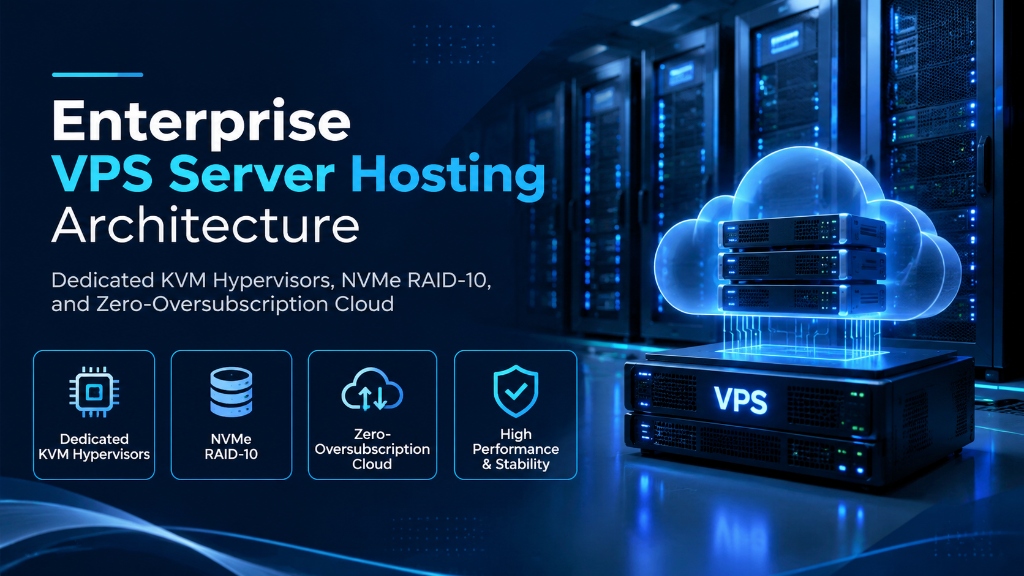
Enterprise VPS Server Hosting Architecture: Dedicated KVM Hypervisors, NVMe RAID-10, and Zero-Oversubscription Cloud
Modern web platforms, microservice architectures, enterprise database engines, and high-concurrency API gateways require predictable computing resources. Traditional shared hosting platforms force hundreds of unrelated tenants to share a single operating system kernel, resulting in severe resource contention, variable I/O wait times, and security vulnerabilities. Selecting high-grade enterprise vps hosting provides dedicated computing resources, isolated memory address spaces, and dedicated block storage pipelines engineered for high-availability workloads. For mission-critical single-tenant workloads, deploy our enterprise dedicated server infrastructure with unshared physical compute. For organizations scaling high-throughput compute workloads, our scalable Linux VPS hosting solutions provides dedicated unmetered performance and enterprise hardware isolation.
The architectural foundation of an enterprise virtual server lies in hardware-assisted virtualization. By deploying Kernel-based Virtual Machine (KVM) technology across bare-metal compute nodes, every guest operating system operates as an independent virtual appliance with its own virtualized processor registers, memory channels, and peripheral devices. This physical-to-virtual abstraction guarantees that CPU-intensive batch jobs or memory leaks in adjacent virtual machines cannot impact your operational stability. When selecting a server administration interface, review our comprehensive Plesk vs cPanel control panel guide.
Enterprise virtualization also provides full kernel independence. Administrators possess complete authority to install custom Linux distributions, configure specialized kernel parameters, deploy BSD variants, or run licensed Microsoft Windows Server editions. This flexibility allows engineering teams to tailor the operating environment precisely to application runtime specifications.
QEMU-KVM Hardware Virtualization vs Containerization Platforms
Understanding the distinction between true kernel virtualization and container systems (such as LXC or OpenVZ) is essential when selecting enterprise infrastructure. Container platforms share the host operating system’s kernel across all tenants. If a single container triggers a kernel panic or executes an unhandled syscall, every tenant on that host can suffer total outage.
In contrast, KVM assigns private virtualized CPU registers, independent interrupt controllers, and dedicated virtual memory translation tables (Intel EPT or AMD NPT) to each virtual instance. The guest operating system boots its own isolated kernel. System crashes inside one virtual instance remain fully contained, protecting other tenants from collateral disruption and providing enterprise-grade security isolation.
Hardware Architecture: AMD EPYC Compute Nodes and DDR5 ECC Memory
Underlying hardware specifications define the performance boundaries of any cloud environment. Our hypervisor cluster is built upon dual-socket AMD EPYC 9004 series processors operating at base frequencies of 3.1 GHz with boost capability reaching 3.8 GHz. These high-density compute nodes provide the multi-threaded throughput and large L3 cache architecture needed to power intensive database operations, microservices, and container clusters.
Memory allocations utilize registered DDR5 ECC RAM operating at 4800 MHz across multiple memory channels. Error-Correcting Code (ECC) circuitry identifies and repairs single-bit memory corruptions in real time, preventing unexpected server panics and silent database corruption. We enforce a zero-overcommitment policy across all hypervisor nodes: your allocated memory is strictly dedicated to your virtual machine address space.
Hypervisor-level CPU scheduling utilizes Linux Completely Fair Scheduler (CFS) quotas to guarantee that each virtual CPU receives dedicated execution time slices. By eliminating aggressive resource oversubscription, your background compiling tasks, data analytics queries, and real-time messaging engines operate with predictable, steady-state throughput.
Storage Topologies: Local NVMe RAID-10 Arrays vs Network Storage
Storage architecture determines disk write latency and transactional throughput. Many budget cloud providers connect virtual instances to remote network storage volumes over shared Ethernet cables, introducing network latency spikes whenever traffic surges across the storage network.
Our enterprise hosting architecture mounts high-speed U.2 PCIe Gen4 NVMe solid-state storage arrays locally inside each compute node in hardware RAID-10 configurations. Direct PCIe bus communication achieves sub-microsecond latency and eliminates network congestion choke points. Below is an authoritative Flexible I/O Tester benchmark illustrating random 4K write throughput on our storage arrays:
Sustaining over 215,000 random write IOPS guarantees that high-frequency databases, journaling file systems, and log aggregation pipelines operate without I/O wait states.
Linux Kernel Networking and TCP Buffer Optimization
To take full advantage of high-speed hardware and low-latency network uplinks, system administrators should tune default Linux kernel networking parameters. Standard Linux distributions ship with conservative network buffer allocations designed for general-purpose desktop environments. Applying customized sysctl configurations unlocks substantial throughput improvements for high-traffic web applications.
Deploying the following configuration parameters inside /etc/sysctl.d/99-custom-network.conf optimizes TCP buffer sizes, connection queue backlogs, and TCP window scaling:
Implementing Google BBR congestion control dynamically calculates bandwidth and round-trip times to maximize throughput while minimizing packet buffering. This yields significant performance gains for media delivery platforms and dynamic web APIs operating across varied client connections.
Automated Infrastructure Deployment via Terraform and Ansible
Modern DevOps organizations manage virtual server fleets using Infrastructure as Code (IaC) principles. Automating virtual machine provisioning, security baselines, and application configuration reduces deployment times from hours to minutes while preventing human configuration errors.
Engineering teams can deploy Terraform definitions to automatically provision virtual server instances, allocate static IP subnets, and configure DNS records. Once provisioned, Ansible playbooks execute automatically over SSH, applying security hardening, creating unprivileged user accounts, installing runtime packages, and initializing container daemons.
Distributed Denial of Service Protection: Edge Filtering vs Cloud Scrubbing
Protecting critical online services requires automated defenses against network floods. Malicious actors frequently launch synchronized reflection and amplification assaults intended to exhaust uplink bandwidth and crash server network stacks.
Our hosting architecture deploys inline hardware scrubbing centers at upstream border routing gateways. Inbound traffic undergoes deep packet inspection, distinguishing legitimate user connections from malicious flood patterns. Volumetric attacks are dropped before reaching local hypervisor virtual switches, keeping your virtual server reachable throughout attack events.
Automated Database Tuning: MariaDB, PostgreSQL, and Redis Memory Boundaries
Running high-concurrency database systems on virtual machines requires strategic memory partitioning. By default, relational databases adopt conservative memory allocations that leave substantial RAM unutilized. To achieve balanced multi-instance agility and cost efficiency, pair your deployment with enterprise dedicated server infrastructure featuring high-speed NVMe storage arrays.
On an instance provisioned with 16 GB of dedicated RAM, administrators should allocate approximately 11 GB to InnoDB buffer pools or PostgreSQL shared buffers, reserving 1 GB for Redis object caching and 4 GB for operating system cache and administrative processes. This balanced allocation ensures high cache hit ratios while preventing out-of-memory kernel kills.
Kernel Tuning for High-Concurrency Network Workloads
Default Linux kernel networking parameters are engineered for desktop systems or low-traffic utilities. Operating high-throughput API endpoints or streaming servers requires expanding the kernel’s network connection limits and file descriptor tables.
Deploying the following sysctl settings inside /etc/sysctl.d/60-enterprise-network.conf increases connection backlog queues and allocates dedicated network memory buffers:
Enabling tcp_tw_reuse recycles TIME_WAIT sockets safely for outgoing connections, preventing ephemeral port exhaustion during high-frequency outbound API or database calls.
High-Performance Web Server Architecture: LiteSpeed and Nginx Tuning
Web servers deployed on KVM virtual instances achieve dramatic performance improvements when paired with event-driven architectures. Nginx and LiteSpeed Enterprise deliver high concurrent request processing with minimal memory footprints.
Setting worker_processes to auto and configuring worker_connections to 8192 allows the web tier to handle thousands of concurrent browser connections simultaneously. Combining this with HTTP/2 and HTTP/3 QUIC support accelerates asset delivery across modern mobile networks.
Automated Log Rotation and System Hygiene
High-concurrency servers generate substantial log volumes across web and database services. Left unmanaged, uncompressed log files consume valuable NVMe disk capacity. Configuring logrotate with daily rotation, gzip compression, and 14-day retention keeps storage arrays running efficiently without administrative intervention.
Automated System Hardening and Intrusion Prevention
Securing public-facing cloud instances requires defense-in-depth methodologies. Beyond configuring external perimeter firewalls, administrators should enforce host-level authentication controls and intrusion prevention services.
Enabling SSH key-based authentication with Ed25519 cryptographic curves, disabling root password logins, and deploying Fail2ban ensures that unauthorized automated scanners cannot compromise administrative credentials. In addition, configuring automated unattended security updates ensures that critical operating system patches apply promptly without requiring manual intervention.
Enterprise Scalability: Hybrid Cloud and Single-Tenant Migration
As digital applications expand, organizations may require custom hardware firewalls, specialized compliance certifications, or dedicated bare-metal infrastructure. Migrating workloads from our KVM virtual machines to dedicated physical servers is straightforward due to standardized virtualization formats.
Organizations requiring unshared hardware resources can transition to an enterprise dedicated server, accessing dedicated multi-gigabit uplinks, hardware RAID controllers, and private local area network configurations. In addition, simpler web presences can evaluate streamlined web hosting for lightweight CMS environments.
Technical Comparison: Cloud Hosting Deployment Models
The table below summarizes architectural differences between shared web hosting, our KVM VPS, and dedicated enterprise servers:
| Feature / Specification | Shared Web Hosting | Enterprise KVM VPS | Bare-Metal Dedicated Server |
|---|---|---|---|
| Resource Commitment | Heavily Shared | Guaranteed Dedicated Allocation | 100% Unshared Physical Hardware |
| Virtualization Layer | None (Shared Environment) | Full Hardware KVM Isolation | Direct Bare-Metal Execution |
| Storage Subsystem | Shared SATA / SAS SSD | Enterprise PCIe Gen4 NVMe RAID-10 | Custom Multi-Drive NVMe RAID |
| Root Administrative Access | No Root Access | Full Root / Administrator Privileges | Full IPMI / KVM Hardware Access |
| IP Addressing | Shared IP Address | Dedicated Clean IPv4 & IPv6 | Custom Subnets (/29, /28, /27) |
Automated Snapshot Management and Disaster Recovery Protocols
Maintaining high data resilience is critical for business continuity. Our virtualization management platform includes automated block-level snapshot capabilities that operate independently of the guest operating system. Incremental snapshots capture changed storage blocks on an automated schedule, transmitting encrypted copies across private storage area networks to off-site backup storage vaults.
In the event of accidental data deletion, configuration errors, or software update failures, administrators can restore entire virtual machine images or recover specific file systems through our central management portal. These recovery procedures execute rapidly without requiring manual support intervention, ensuring continuous business continuity for critical operations.
Enterprise High Availability, Live Migration, and Compute Clustering
Mission-critical enterprise operations require architectural safeguards against underlying hardware maintenance events. Our hypervisor cluster architecture employs live virtual machine migration over 40 Gbps dedicated optical interconnects. In the event of planned physical node upgrades, storage controller servicing, or memory diagnostics, active virtual instances transfer to companion hypervisors without dropped TCP connections or memory state loss.
Integrated heartbeat monitors poll hypervisor availability every 500 milliseconds across independent network paths. If an unrecoverable hardware event impacts a host node, automated failover triggers immediate instance re-instantiation from shared NVMe block storage on an alternate cluster node, restoring service availability in under three minutes.
Complementing automated failover, distributed load balancers distribute incoming application transactions across geographically redundant instances, providing resilient operational continuity during localized network disruptions.
Scheduled incremental snapshots preserve operational baselines without locking database write buffers, ensuring continuous query processing during backup windows.
Frequently Asked Questions
Q:
What is the primary architectural advantage of KVM virtualization?
Q:
How does PCIe Gen4 NVMe storage improve application responsiveness?
Q:
Do I get full root administrative privileges on my enterprise VPS?
Q:
Can I deploy custom operating system images and kernel modules?
Q:
Can I scale my CPU cores, RAM, and storage as my business expands?
Infrastructure Decision Framework: Choosing Your Deployment
Balancing low latency transit, dedicated hardware isolation, and predictable operating costs ensures long-term performance stability for enterprise applications.
Deploy high-performance enterprise dedicated server solutions equipped with enterprise NVMe storage arrays, redundant network uplinks, and 24/7 expert engineering support from Onlive Infotech.
For streamlined domain management and server configuration across multi-tenant environments, refer to our comprehensive Plesk vs cPanel hosting control panel guide.
•

✓
