
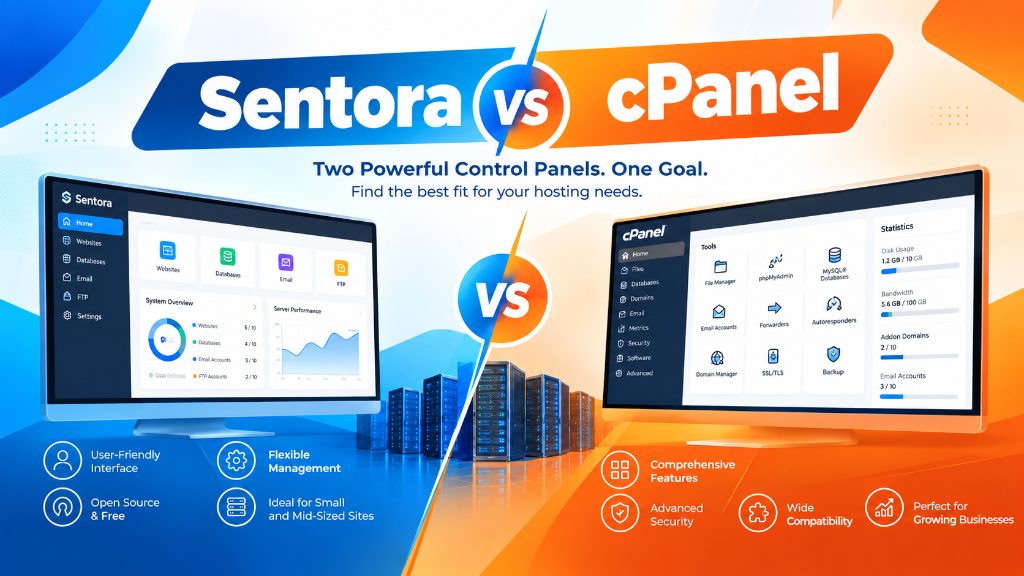
Sentora is an open-source, GPL-licensed web hosting control panel developed specifically for Linux VPS and dedicated servers. It provides essential domain management, email routing, FTP accounts, and MySQL database administration without recurring monthly software licensing fees, making it an attractive cost-effective alternative to cPanel and Plesk for budget-conscious administrators.
- Zero Licensing Costs: Completely free and open-source under GPLv3, eliminating per-account commercial license fees.
- Core Hosting Capabilities: Automates virtual host configuration, DNS record management, mailbox provisioning, and phpMyAdmin integration.
- Resource Efficiency: Lightweight daemon footprint preserves system RAM and CPU cycles for user applications.
- Best Fit Workloads: Ideal for personal developer sandboxes, small-scale client hosting, and budget Linux VPS environments.
Managing a Linux virtual private server requires configuring web daemons, DNS zones, mail servers, and database engines. While commercial solutions like cPanel and Plesk provide polished enterprise automation, their recurring per-account licensing fees can significantly increase operational expenses for small businesses and independent developers. For administrators seeking a free, community-driven control panel, Sentora offers an open-source web hosting management platform designed to simplify server administration without monthly subscription costs. For organizations scaling high-throughput compute workloads, our scalable Linux VPS hosting solutions provides dedicated unmetered performance and enterprise hardware isolation.
Among open-source web management tools, Sentora emerged as a notable community-driven fork of the legacy ZPanel project. Designed specifically for Linux distributions, Sentora automates the orchestration of web daemons, mail transfer agents, database engines, and FTP services through a unified web interface. Whether deploying open-source control panels on entry-level reliable web hosting environments or scaling across managed VPS hosting and enterprise dedicated servers, understanding control plane architecture is vital. This technical guide examines Sentora’s software stack, details its automated installation workflow, outlines essential security hardening protocols, and contrasts Sentora with modern alternatives such as CyberPanel, CloudPanel, and HestiaCP. When selecting a server administration interface, review our comprehensive Plesk vs cPanel control panel guide.
Architectural Overview: How Sentora Orchestrates the Linux LAMP Stack
Sentora does not replace native Linux operating system daemons. Instead, it functions as an administrative orchestration layer and graphical web interface that manages industry-standard open-source server software. Written primarily in PHP, Sentora interfaces directly with system configuration files and service daemons through scheduled background cron tasks and daemon hooks.
The core software stack orchestrated by Sentora comprises:
- Web Server Engine: Apache HTTP Server (typically utilizing
mod_phpor FastCGI), configuring independent virtual host files (vhosts.conf) dynamically for each hosted domain and subdomain. - Database Management: MySQL or MariaDB, automated via phpMyAdmin integration, allowing users to create databases, assign user privileges, and manage relational schemas.
- Mail Services: Postfix operates as the Mail Transfer Agent (MTA), Dovecot handles IMAP/POP3 mailbox storage, and Roundcube provides browser-based webmail access for client accounts.
- Domain Name System (DNS): BIND (Named) acts as the authoritative DNS server, automatically generating and reloading forward and reverse zone files upon domain creation.
- File Transfer: ProFTPD manages secure FTP access, isolating user directories within designated chroot jails.
The control flow between the Sentora administrative UI, background system daemons, and storage volumes is illustrated below:
Hierarchical User Permissions and Multi-Tenancy Architecture
A central feature of Sentora is its three-tier hierarchical permission model, which allows server owners to divide hardware resources among independent users:
- Administrator (Root Level): Holds unrestricted global access to the physical host, system settings, package updates, IP allocation tables, and service daemon configurations.
- Reseller: Intermediate accounts authorized to provision client hosting packages within defined quotas (such as aggregate bandwidth, total storage, and maximum database allocations).
- Client (Website Owner): End users restricted to managing their specific domains, uploading files via FTP, provisioning SSL certificates, creating MySQL databases, and configuring email accounts.
Resource quotas are enforced at the software layer, tracking disk utilization across user directories (/var/sentora/hostdata/) and measuring Apache transfer logs to prevent multi-tenant resource monopolization.
Step-by-Step Installation of Sentora on a Clean Linux Node
Deploying Sentora requires a clean, minimal Linux installation (historically CentOS 7 or Ubuntu Server 14.04/16.04). Installing Sentora on a server with existing web or database services can trigger configuration conflicts, as the automated installer expects full control over the underlying package manager.
The following shell commands demonstrate preparing the operating system, verifying network prerequisites, and executing the automated installation script:
During the execution sequence, the installer prompts for primary administrative parameters:
- Time Zone Selection: Aligns server logs and automated cron tasks with local time.
- Subdomain for Control Panel: Typically
panel.yourdomain.com, requiring a pre-configured DNS A record pointing to the server’s public IPv4 address. - Server Public IP Address: Automatically detected and confirmed for BIND DNS and Apache vhost configurations.
Upon completion, the installer outputs the generated MySQL root password and Sentora administrative credentials before prompting for a system reboot to initialize services.
Critical Security Hardening Protocols for Sentora Deployments
Because open-source control panels expose multiple administrative endpoints to the public Internet, hardening the host operating system is mandatory to prevent automated exploitation. Sentora installations require proactive security interventions to mitigate legacy vulnerabilities:
1. Enforcing HTTPS / SSL on the Control Panel Interface
By default, initial installations operate over unencrypted HTTP (port 80), exposing administrator session cookies and login credentials to network eavesdropping. Provisioning a free Let’s Encrypt TLS certificate ensures administrative traffic remains encrypted:
2. Deploying Stateful Firewall and Brute-Force Shielding
Restricting accessible ports prevents unauthorized reconnaissance and brute-force intrusion attempts against database and management interfaces:
3. Securing Database and phpMyAdmin Interfaces
Ensure MariaDB/MySQL is bound strictly to localhost (127.0.0.1) to prevent external connections to port 3306. Restrict access to the internal phpMyAdmin portal by implementing HTTP Basic Authentication or IP whitelisting within the web server configuration.
Comparative Analysis: Sentora vs. Modern Open-Source Control Panels
While Sentora established a pioneering framework for open-source hosting management, the web hosting ecosystem has evolved rapidly over recent years. Modern panels emphasize asynchronous event-driven web servers (Nginx, OpenLiteSpeed), native Docker containerization, and automated Let’s Encrypt integrations. The table below evaluates Sentora against leading contemporary alternatives:
| Control Panel | Web Server Stack | Supported Linux OS | Resource Overhead | Active Development | Target Use Case |
|---|---|---|---|---|---|
| Sentora | Apache (Prefork/Worker) + PHP + MariaDB | Ubuntu / CentOS (Legacy) | Moderate (512MB – 1GB RAM) | Community / Maintenance | Legacy LAMP hosting, educational testbeds |
| CyberPanel | OpenLiteSpeed (Native LSAPI) + MariaDB | Ubuntu 20.04/22.04, AlmaLinux | Low (768MB – 1GB RAM) | High (Frequent Releases) | High-concurrency WordPress, built-in caching |
| CloudPanel | Nginx + PHP-FPM + MySQL/Percona | Debian 11/12, Ubuntu 22.04 | Ultra-Low (512MB RAM) | High (Enterprise Focused) | PHP, Node.js, Python, modern microservices |
| HestiaCP | Nginx (Reverse Proxy) + Apache + MariaDB | Debian 11/12, Ubuntu 20.04/22.04 | Low (1GB RAM) | Active Community | Classic multi-tenant shared hosting, reseller models |
| cPanel / WHM | Apache / Nginx Hybrid + MySQL | AlmaLinux, Rocky Linux, CloudLinux | Moderate to High (2GB+ RAM) | Commercial Enterprise | Commercial hosting businesses, agency client portals |
For organizations prioritizing maximum PHP execution speed and built-in object caching, modern alternatives like CyberPanel or CloudPanel offer event-driven performance. However, Sentora remains a classic example of full-featured LAMP orchestration for budget-conscious administrators.
Automating Control Panel Backups and Disaster Recovery
Operating self-managed hosting control panels requires strict adherence to automated backup schedules. Unlike managed hosting environments where infrastructure snapshots occur transparently, self-hosted panels require explicit scripts to preserve customer data, database dumps, and virtual host configurations.
The following shell script automates full directory archiving and MySQL database exports, transferring the resulting compressed archives to remote off-site storage:
Scheduling this script via cron ensures that unexpected hardware failures or storage array corruption can be resolved within minimal Recovery Time Objectives (RTO).
Upgrading Legacy Sentora: Transitioning to PHP-FPM and FastCGI
A primary bottleneck in classic Sentora deployments is the default Apache configuration utilizing mod_php under the prefork Multi-Processing Module (MPM). Under this legacy architecture, every incoming HTTP connection spawns an entire Apache process with embedded PHP interpreter overhead, consuming 30MB to 50MB of RAM per concurrent connection. During traffic spikes, available physical memory quickly exhausts, causing swap thrashing and service crashes.
Modernizing a Sentora server requires disabling mod_php, enabling the Apache event MPM, and configuring dedicated PHP-FPM (FastCGI Process Manager) pools for each hosted client account. Isolating client sites into individual user pools prevents cross-account script access and enables precise resource budgeting:
Enforcing strict open_basedir boundaries ensures that even if a client website running WordPress suffers a plugin vulnerability, an attacker cannot traverse directory trees to inspect server configuration files or access neighboring tenant databases.
Transitioning from Open-Source Panels to Enterprise Managed Hosting
While open-source control panels provide complete administrative freedom and eliminate software licensing fees, they place the entire operational burden of systems maintenance, OS patching, kernel tuning, and security mitigation squarely on the server owner. As website traffic scales and customer uptime demands tighten, the administrative overhead of managing custom control panel stacks often exceeds the cost of commercial managed hosting.
Organizations experiencing rapid business growth frequently choose to migrate their digital infrastructure into fully managed virtual private servers or bare-metal dedicated servers. Managed infrastructure provides 24/7 proactive monitoring, automated hardware failover, carrier-grade DDoS mitigation, and guaranteed uptime SLAs, allowing software engineering teams to concentrate on code development rather than operating system maintenance.
Frequently Asked Questions
Q: Which control panel is better for web hosting, cPanel or Plesk?
Q: Can I migrate existing websites from cPanel to Plesk without data loss?
Q: What operating systems support modern web hosting control panels?
Q: How does a control panel simplify multi-tenant account isolation?
Q: Is root administrative access required to install and manage a control panel?
Q: What automated backup mechanisms are integrated into hosting control panels?
Infrastructure Decision Framework: Choosing Your Deployment
Balancing low latency transit, dedicated hardware isolation, and predictable operating costs ensures long-term performance stability for enterprise applications.
Deploy high-performance scalable VPS hosting solutions equipped with enterprise NVMe storage arrays, redundant network uplinks, and 24/7 expert engineering support from Onlive Infotech. For streamlined domain management and server configuration across multi-tenant environments, refer to our comprehensive Sentora open-source control panel architecture.
 ✓
✓
