
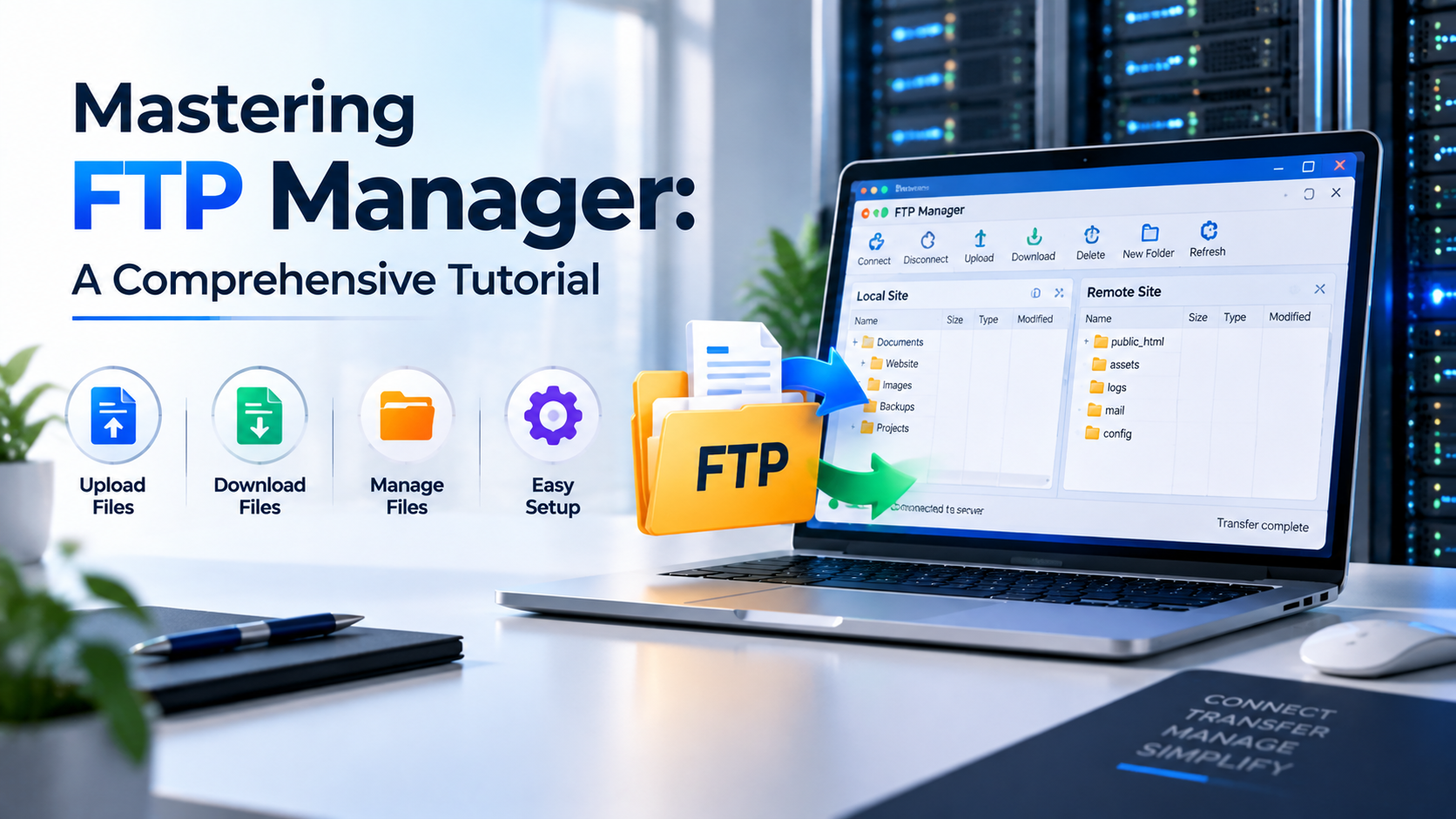
Managing remote file architectures across modern enterprise servers requires robust protocols, disciplined user isolation, and uncompromising transport layer security. While cloud-native object stores and Git-based CI/CD pipelines have automated code deployments, system administrators, web developers, and database operators continue to rely on FTP, FTPS, and SFTP for large-scale file synchronization, routine backups, media asset ingestion, and client asset isolation. Operating these services insecurely exposes systems to packet sniffing, credential harvesting, and root directory traversal attacks. Mastering an enterprise-grade ftp manager tutorial guide demands a thorough understanding of daemon architecture, chroot jail sandboxing, TLS cryptographic encryption, passive port firewall orchestration, and automated user permission governance.
An enterprise-grade ftp manager tutorial guide requires transitioning away from legacy unencrypted cleartext FTP (Port 21) to secure transport architectures: FTPS (FTP over explicit TLS 1.3) or SFTP (SSH File Transfer Protocol on Port 22). Core engineering pillars include: (1) Daemon Selection & Hardening deploying vsftpd or OpenSSH with disabled root logins and anonymous access, (2) Strict Chroot Jail Sandboxing restricting each virtual or system user strictly to their designated document root, (3) Cryptographic TLS Certificates enforcing high-cipher SSL/TLS encryption for control and data streams, (4) Stateful Passive Port Firewalling defining and opening dedicated port ranges (e.g., 40000–50000) in UFW/iptables, and (5) Automated User Lifecycle Management leveraging PAM authentication, unprivileged shell restrictions (/bin/false), and automated backup cron jobs.
Overview and Core Architectural Advantages of FTP Manager Tutorial Guide
File Transfer Protocol (FTP), originally specified in RFC 959, was developed in an era when networks were small, trusted academic environments. Traditional FTP transmits commands, authentication credentials, and payload data entirely in plaintext across network sockets. Any adversary positioned along the transit route can trivially intercept administrative passwords and sensitive database dumps using basic packet inspection utilities. Modern systems administration solves this vulnerability through two distinct, secure cryptographic protocols: FTPS (FTP over TLS/SSL) and SFTP (SSH File Transfer Protocol).
FTPS retains the classic dual-channel architecture of FTP (a command control channel on port 21 and a dynamic data channel for transferring files), but wraps both connections in modern TLS 1.3 cryptography. Conversely, SFTP operates as an independent subsystem over SSH, bundling authentication, commands, and file transfers through a single encrypted TCP port (typically port 22 or a hardened custom port). Understanding when and how to implement each protocol allows systems engineers to support legacy desktop client workflows while maintaining strict zero-trust security postures.
Implementing a hardened FTP management environment gives organizations complete control over how remote collaborators, clients, and automated processes upload and retrieve assets. System administrators can grant fine-grained permissions, configure granular access logs, and prevent accidental data leakage.
To align file transfer protocols with overall systems infrastructure, explore our foundational Server Management Configuration Guide, or deploy these configurations on our high-performance Enterprise Global VPS Hosting or dedicated bare-metal servers through our High-Performance Dedicated Server Solutions.
Hardware Resource Sizing and Low-Latency Network Infrastructure
While file transfer daemons typically consume modest CPU resources when idle, high-concurrency file ingestion operations place substantial demands on storage I/O subsystems, network interface controllers, and cryptographic processing units. Bulk transfers of thousands of small assets (such as WordPress media libraries or e-commerce catalog images) can exhaust disk queue buffers and saturate operating system file descriptors.
Storage architecture is the primary performance factor in file management. Traditional spinning mechanical hard drives or legacy SATA SSDs struggle with random read/write operations, bottlenecking transfer speeds well below available network port capacity. Deploying on PCIe Gen4 NVMe arrays delivers hundreds of thousands of random IOPS, ensuring that file write operations keep pace with 1 Gbps or 10 Gbps uplinks without thread starvation.
The provisioning matrix below outlines standardized hardware sizing for various file management application profiles:
| Deployment Profile | vCPU Sizing | System RAM | NVMe Storage Sizing | Network Interface | Recommended File Protocols |
|---|---|---|---|---|---|
| Basic Web Development | 1 to 2 vCPUs | 2 GB – 4 GB ECC DDR4 | 40 GB PCIe Gen4 NVMe | 1 Gbps Port | SFTP via OpenSSH, isolated non-root user keys |
| Commercial Digital Agency | 4 vCPUs | 8 GB ECC DDR4/DDR5 | 100 GB – 250 GB NVMe | 1 Gbps Port | FTPS (vsftpd) with chroot jails, FileZilla / WinSCP multi-user access |
| Enterprise Media Repository | 8 vCPUs | 16 GB – 32 GB ECC DDR5 | 500 GB – 1 TB NVMe RAID | 1 Gbps Redundant Port | High-throughput FTPS cluster, passive port pooling, automated snapshot rotation |
| Hyperscale Asset Distribution | 16 to 32 vCPUs | 64 GB – 128 GB Reg ECC | 2 TB+ NVMe RAID 10 | 10 Gbps Multihomed | Parallelized SFTP/FTPS daemons, rsync over SSH, hardware cryptographic offload |
Ensuring that your server hardware features dedicated NVMe storage and non-overcommitted RAM guarantees smooth, uninterrupted file transfer pipelines even under heavy concurrent load.
Step-by-Step Optimization and Security Hardening Configuration
This technical section provides a production-grade blueprint for installing, securing, and optimizing vsftpd (Very Secure FTP Daemon)—the gold standard for enterprise Linux file servers. This configuration enforces TLS 1.3 encryption, restricts users to sandboxed chroot jails, sets up passive port ranges, and integrates automated firewall rules.
Follow the step-by-step instructions below on an Ubuntu or Debian Linux production environment:
1. Installing vsftpd and Generating Cryptographic SSL/TLS Certificates
First, update system package repositories, install the vsftpd daemon, and generate a secure 2048-bit or 4096-bit RSA certificate for encrypting control and data channels.
apt-get update && apt-get install -y vsftpd openssl
# Backup original configuration
cp /etc/vsftpd.conf /etc/vsftpd.conf.orig
# Generate a self-signed TLS/SSL certificate (valid for 365 days)
mkdir -p /etc/ssl/private
openssl req -x509 -nodes -days 365 -newkey rsa:2048 \
-keyout /etc/ssl/private/vsftpd.pem \
-out /etc/ssl/private/vsftpd.pem \
-subj “/C=FR/ST=Paris/L=Paris/O=OnliveInfotech/CN=ftp.onliveinfotech.com”
# Secure private key file permissions
chmod 600 /etc/ssl/private/vsftpd.pem
2. Hardening the vsftpd Configuration File
Configure /etc/vsftpd.conf to completely disable anonymous logins, force TLS encryption for all logins and data transfers, enable local user write privileges, and lock users inside secure chroot jails.
# ========================================================
# Production Hardened vsftpd Configuration
# ========================================================
# General Daemon Settings
listen=YES
listen_ipv6=NO
anonymous_enable=NO
local_enable=YES
write_enable=YES
local_umask=022
dirmessage_enable=YES
use_localtime=YES
xferlog_enable=YES
connect_from_port_20=YES
xferlog_file=/var/log/vsftpd.log
xferlog_std_format=YES
# Chroot Jail Isolation Settings
chroot_local_user=YES
allow_writeable_chroot=YES
secure_chroot_dir=/var/run/vsftpd/empty
pam_service_name=vsftpd
# Passive Mode Port Range Configuration
pasv_enable=YES
pasv_min_port=40000
pasv_max_port=45000
pasv_address=0.0.0.0
# SSL / TLS 1.3 Cryptographic Hardening
ssl_enable=YES
rsa_cert_file=/etc/ssl/private/vsftpd.pem
rsa_private_key_file=/etc/ssl/private/vsftpd.pem
allow_anon_ssl=NO
force_local_data_ssl=YES
force_local_logins_ssl=YES
ssl_tlsv1_2=YES
ssl_tlsv1_3=YES
ssl_sslv2=NO
ssl_sslv3=NO
require_ssl_reuse=NO
ssl_ciphers=HIGH
# Connection Limits & Timeouts
idle_session_timeout=600
data_connection_timeout=120
max_clients=50
max_per_ip=5
EOF
# Restart and enable vsftpd daemon
systemctl restart vsftpd
systemctl enable vsftpd
3. Provisioning Sandboxed FTP User Accounts and Firewall Rules
To prevent security breaches, dedicated FTP accounts should be created without interactive shell access (assigned /bin/false) and granted ownership strictly of their upload directory.
adduser –home /var/www/uploads –shell /bin/false ftp_client
echo “ftp_client:StrongSecurePassword2026!” | chpasswd
# Configure document root permissions
mkdir -p /var/www/uploads/files
chown -R ftp_client:ftp_client /var/www/uploads/files
chmod 755 /var/www/uploads
chmod 775 /var/www/uploads/files
# Configure UFW firewall rules for FTP control and passive port ranges
ufw allow 21/tcp comment ‘FTP Control Channel’
ufw allow 40000:45000/tcp comment ‘vsftpd Passive Data Port Range’
ufw reload
# Verify service status and port bindings
netstat -tulpn | grep -E ’21|vsftpd’
For official technical documentation regarding daemon configurations and security parameters, refer to the vsftpd Official Project Documentation and standard OpenSSH manuals at the OpenSSH Official Portal.
Benchmark Comparisons vs Standard Cloud Solutions
When architecting remote file synchronization environments, organizations often evaluate standalone Linux FTP/SFTP servers against proprietary cloud storage APIs (e.g., AWS S3, Google Cloud Storage) and generic cPanel shared hosting accounts. Standalone managed virtual private servers offer major advantages in cost predictability, custom daemon tuning, and protocol compatibility.
The comparative benchmark table below highlights the performance, cost, and security trade-offs across these different approaches:
| Evaluation Metric | Hardened VPS (vsftpd / SFTP) | Public Cloud Object Storage (S3 / GCS) | Shared cPanel Hosting FTP |
|---|---|---|---|
| Protocol Support | Native FTP, FTPS (TLS 1.3), SFTP, SCP, rsync | HTTPS REST API, S3 API (Requires gateway) | Standard FTP / FTPS (Limited custom ports) |
| Data Transfer & Egress Costs | Generous Inclusive Bandwidth Quota (Flat rate) | Metered Egress Fees ($0.08 – $0.12/GB transferred) | Unmetered (Subject to hidden inode throttling) |
| Latency & Protocol Overhead | Ultra-low latency direct TCP stream over NVMe | HTTP REST API handshake overhead per file | High latency due to shared server noisy neighbors |
| Administrative Control | Full root shell authority, custom PAM, chroot | IAM policy management, bucket permissions | Restricted GUI controls, no kernel or daemon access |
| Automated Backup Integration | Direct crontab, bash scripts, local snapshots | Lifecycle policies, multi-region replication | Basic cPanel wizard (Often fails on large sites) |
| Storage Performance (IOPS) | 350,000+ IOPS on direct PCIe Gen4 NVMe | High latency object commit operations | Low IOPS shared storage pool |
Frequently Asked Questions
What is the difference between FTP, FTPS, and SFTP?
Why is unencrypted FTP considered a major security risk?
How does a chroot jail protect a Linux file server?
What are passive mode ports and why must they be configured in firewalls?
How do I create an FTP user that cannot log into an SSH shell?
/bin/false or /usr/sbin/nologin using the command adduser --shell /bin/false username. This ensures that the user can authenticate for FTPS or SFTP file transfers while being strictly blocked from accessing an interactive command-line terminal.
Which FTP client software is recommended for secure file management?
How can I automate file synchronization between my server and local storage?
rsync over SSH or command-line SFTP scripts scheduled via Linux crontab. Using rsync with options like -avz --delete transfers only modified file deltas, minimizing bandwidth consumption and speeding up backup operations.
Can I enforce TLS 1.3 only in vsftpd for maximum security?
/etc/vsftpd.conf, set ssl_enable=YES, ssl_tlsv1_2=YES, ssl_tlsv1_3=YES, and disable legacy SSL protocols with ssl_sslv2=NO and ssl_sslv3=NO. Additionally, specify ssl_ciphers=HIGH to enforce modern cryptographic cipher suites.
How does Fail2ban defend FTP servers against brute-force attacks?
/var/log/vsftpd.log or /var/log/auth.log). When an IP address exceeds a defined threshold of failed login attempts within a specific time window, Fail2ban dynamically adds an iptables/UFW drop rule blocking that IP for a configurable ban duration.
Why is PCIe Gen4 NVMe storage crucial for high-concurrency file servers?
Enterprise Deployment Checklist and Technical Support
Before putting your newly configured FTP file server into production, review this operational verification checklist. Completing these checks verifies that your system conforms to security best practices and maintains uninterrupted service.
Anonymous Login Disabled: Confirm that
anonymous_enable=NO is set in vsftpd.conf and anonymous logins are rejected.
TLS Encryption Enforced: Verify that plaintext logins and cleartext data transfers are blocked with
force_local_logins_ssl=YES and force_local_data_ssl=YES.
Chroot Jail Verified: Test user login to confirm the account cannot navigate above its assigned home directory.
Passive Port Range Mapped: Verify that
pasv_min_port and pasv_max_port are defined in vsftpd.conf and allowed through the UFW/iptables firewall.
Shell Access Restricted: Ensure dedicated FTP users are provisioned with
/bin/false or /usr/sbin/nologin to prevent terminal shell access.
Intrusion Prevention Active: Confirm Fail2ban is active and monitoring authentication logs with automated dynamic IP banning.
Automated Logging & Rotation: Verify that transfer logs are recorded in
/var/log/vsftpd.log and configured in logrotate to prevent disk exhaustion.
Automated Snapshot Schedule: Configure regular hypervisor snapshots and off-site backup replication for uploaded assets.
Deploy Your Secure Enterprise File Server with Onlive Infotech
Experience rock-solid stability, dedicated KVM virtualization, PCIe Gen4 NVMe performance, and 24/7/365 certified DevOps engineering support for your file transfer infrastructure.
•

✓
