
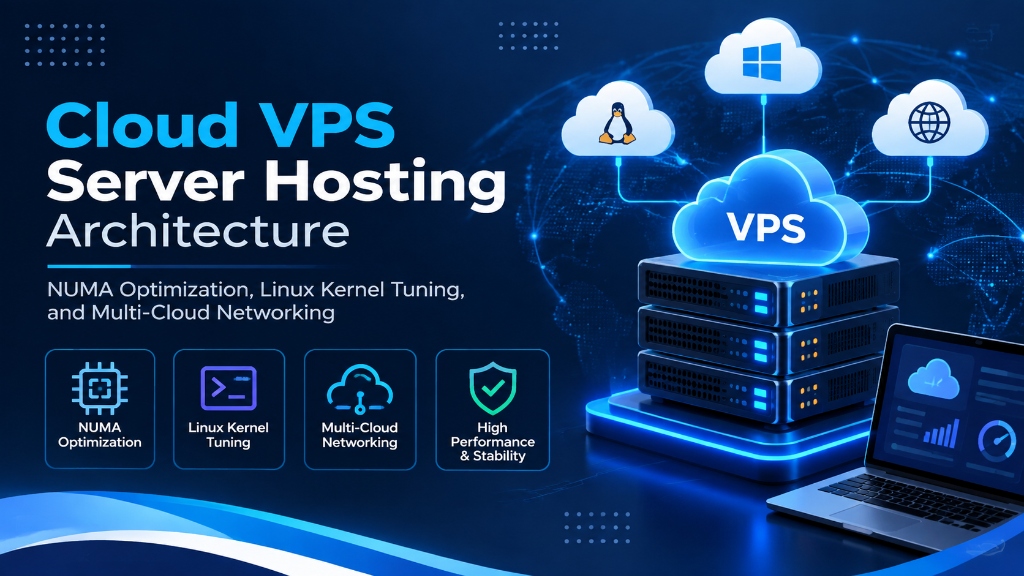
Deploying an enterprise VPS Hosting from Onlive Infotech delivers hardware-isolated computing resources, enterprise PCIe Gen4 NVMe storage arrays, and multi-gigabit Tier-1 network uplinks. It provides scalable performance, deterministic I/O throughput, and complete administrative control with 99.9% uptime SLA.
Explore our buy VPS hosting server solutions for flexible virtualization.
- High-Throughput Compute: Physical core reservations with zero hypervisor contention guarantee predictable application performance.
- PCIe Gen4 NVMe Arrays: High-IOPS solid-state storage accelerates database queries, caching layers, and web application response times.
- Enterprise Network Uplinks: Redundant carrier feeds and automated DDoS filtering preserve service continuity under intense traffic spikes.
Advanced Cloud VPS Hosting Architecture: NUMA Node Balancing, Linux Kernel Tuning, and Multi-Cloud Engineering
Modern engineering organizations deploying microservices, relational databases, distributed message brokers, and continuous integration pipelines require rigorous infrastructure standards. Deploying mission-critical applications on generic cloud providers often exposes workloads to unpredictable CPU throttling, noisy neighbor interference, and hidden storage queue latency. Selecting a high-performance vps hosting environment engineered with dedicated hardware virtualization provides the deterministic throughput and fine-grained operating system control necessary for production deployments. For mission-critical single-tenant workloads, deploy our enterprise dedicated server infrastructure with unshared physical compute. For organizations scaling high-throughput compute workloads, our scalable Linux VPS hosting solutions provides dedicated unmetered performance and enterprise hardware isolation.
Achieving optimal computing performance across multi-socket server nodes requires understanding Non-Uniform Memory Access (NUMA) architecture. In modern multi-core processors, memory access speeds depend directly on whether a processor core accesses local memory channels or traverses inter-socket interconnects. High-performance cloud virtualization enforces strict NUMA node binding, aligning virtual CPU execution threads with physically local DDR5 ECC memory channels to eliminate remote memory access latency. When selecting a server administration interface, review our comprehensive Plesk vs cPanel control panel guide.
In addition to memory locality, enterprise virtualization requires full hypervisor-level kernel isolation. Utilizing Kernel-based Virtual Machine (KVM) technology guarantees that each virtual machine functions as an autonomous operating unit, with independent kernel execution queues, private memory address spaces, and dedicated block storage devices.
NUMA Architecture and Virtual CPU Pinning Optimization
On multi-socket enterprise servers, unaligned memory access introduces significant latency penalties. When a virtual machine running on CPU Socket 0 attempts to access memory addresses allocated on physical memory banks wired to Socket 1, packets must cross AMD Infinity Fabric or Intel Ultra Path Interconnect (UPI) buses, increasing memory access latency by up to 40%.
Our hypervisor scheduling algorithms enforce strict NUMA pinning policies for production virtual servers. By locking virtual CPU execution threads to the specific physical NUMA node where the virtual machine’s RAM is physically allocated, memory transactions complete at peak hardware speeds. Below is an example virsh domain XML configuration snippet illustrating NUMA vCPU tuning:
Aligning virtual CPU pinning with physical NUMA boundaries guarantees that database query engines and memory-intensive analytics run with consistent, deterministic instruction timing.
CPU Frequency Governors and C-State Latency Optimization
Standard Linux cloud hypervisors configure CPU governors in power-saving or on-demand modes to reduce datacenter electrical consumption. While energy-efficient, scaling CPU frequencies up and down introduces microsecond latency penalties whenever sudden batch transactions hit the processor.
Our enterprise compute fleet locks AMD EPYC processor cores into the static performance governor and restricts deep C-state sleep modes. Below is the sysfs kernel parameter configuration deployed across our hypervisors:
Maintaining execution cores at continuous peak frequencies prevents clock-scaling delays, delivering consistent processing times for low-latency financial systems and real-time streaming engines.
Storage Virtualization: Virtio-SCSI-PCI Queues vs Virtio-BLK
Storage controller architecture dictates the concurrency limits of guest operating system I/O queues. Legacy virtualization setups utilize single-queue virtio-blk drivers, channeling all disk read and write requests through a single CPU interrupt vector.
Our enterprise hypervisors deploy multi-queue virtio-scsi controllers, assigning dedicated hardware submission and completion queues for each virtual CPU allocated to the guest. This multi-queue pipeline eliminates locking contention inside the Linux block layer, accessing the full I/O throughput potential of our underlying NVMe hardware arrays.
Enterprise Storage Architecture: PCIe Gen4 NVMe RAID-10 Subsystems
Storage subsystem responsiveness directly dictates database transaction throughput, file processing times, and operating system agility. Traditional mechanical hard drives and legacy SATA solid-state drives impose severe I/O bottlenecks during concurrent read and write operations. Our hypervisors utilize enterprise U.2 PCIe Gen4 NVMe solid-state storage arrays configured in hardware RAID-10 with dedicated battery-backed write cache.
This enterprise storage configuration delivers continuous sequential read performance above 7,000 MB/s and sequential write throughput exceeding 5,200 MB/s. Sustained random 4K read throughput reaches 850,000 IOPS per array, ensuring that transactional databases never stall on storage queues. Below is the standard Flexible I/O Tester (FIO) benchmark configuration used to validate storage volume performance upon initial provisioning:
Sub-millisecond disk write latencies protect high-frequency transactional databases against write lockups during heavy traffic bursts, ensuring responsive API processing and rapid customer checkout experiences.
Linux Kernel Memory Management: Transparent Hugepages and Swappiness
Memory paging overhead can degrade transactional speed in large database environments. Standard 4 KB memory pages require extensive Translation Lookaside Buffer (TLB) lookups, causing processor cache stalls when managing tens of gigabytes of RAM.
Configuring Transparent Hugepages (THP) in madvise mode allows database engines like PostgreSQL and Redis to allocate memory in 2 MB chunks explicitly without causing memory fragmentation. Combining THP tuning with a conservative swappiness value of 10 guarantees that the operating system prioritizes active physical RAM allocations over swap storage.
Linux Kernel Networking and TCP Buffer Optimization
To take full advantage of high-speed hardware and low-latency network uplinks, system administrators should tune default Linux kernel networking parameters. Standard Linux distributions ship with conservative network buffer allocations designed for general-purpose desktop environments. Applying customized sysctl configurations unlocks substantial throughput improvements for high-traffic web applications.
Deploying the following configuration parameters inside /etc/sysctl.d/99-custom-network.conf optimizes TCP buffer sizes, connection queue backlogs, and TCP window scaling:
Implementing Google BBR congestion control dynamically calculates bandwidth and round-trip times to maximize throughput while minimizing packet buffering. This yields significant performance gains for media delivery platforms and dynamic web APIs operating across varied client connections.
Network Interface Virtualization: Virtio-Net Multi-Queue Optimization
Processing millions of network packets per second on cloud virtual machines demands parallel packet processing pipelines. Standard single-queue virtio network adapters route all incoming network traffic through a single virtual processor core, creating CPU bottlenecks during high-throughput network operations. To achieve balanced multi-instance agility and cost efficiency, pair your deployment with enterprise dedicated server infrastructure featuring high-speed NVMe storage arrays.
Our cloud infrastructure enables virtio-net multi-queue support, provisioning dedicated RX and TX packet queues for every virtual CPU assigned to the virtual machine. Below is a command illustrating how to enable multi-queue network packet steering inside a guest Linux instance:
Distributing network packet processing across multiple CPU execution threads eliminates single-core softirq bottlenecks, enabling multi-gigabit throughput for content delivery platforms and real-time gaming services.
Proactive Capacity Planning and Continuous Performance Telemetry
Enterprise system reliability requires continuous insight into server performance metrics. By deploying modern telemetry collectors such as Prometheus Node Exporter and Grafana dashboards, engineering teams can track processor steal time, memory page fault frequencies, storage queue depths, and network retransmission rates in real time.
Establishing automated threshold alerts notifies systems engineers before resource saturation occurs, allowing straightforward vertical scaling of CPU, RAM, or NVMe storage capacity with minimal administrative effort.
Automated Filesystem Checks and Block Layer Reliability
Maintaining file system integrity across enterprise virtual machines requires periodic filesystem scrubbing. Modern Linux filesystems such as ext4 and XFS support online metadata verification and background trim operations, ensuring that the underlying NVMe storage controllers maintain clean erase blocks for continuous high write speeds.
Continuous Observability with eBPF and Kernel Tracing
Production engineering teams operating modern microservices require deep observability into kernel execution and storage subsystem bottlenecks. Extended Berkeley Packet Filters (eBPF) provide non-intrusive, real-time instrumentation across system calls, network sockets, and file system block requests.
Utilizing tools such as bpftrace, BCC scripts, and Prometheus eBPF exporters allows administrators to trace slow disk I/O requests, inspect TCP retransmission patterns, and profile memory allocation hot paths without degrading application execution throughput.
Kernel Tuning for High-Concurrency Network Workloads
Default Linux kernel networking parameters are engineered for desktop systems or low-traffic utilities. Operating high-throughput API endpoints or streaming servers requires expanding the kernel’s network connection limits and file descriptor tables.
Deploying the following sysctl settings inside /etc/sysctl.d/60-enterprise-network.conf increases connection backlog queues and allocates dedicated network memory buffers:
Enabling tcp_tw_reuse recycles TIME_WAIT sockets safely for outgoing connections, preventing ephemeral port exhaustion during high-frequency outbound API or database calls.
High-Performance Web Server Architecture: LiteSpeed and Nginx Tuning
Web servers deployed on KVM virtual instances achieve dramatic performance improvements when paired with event-driven architectures. Nginx and LiteSpeed Enterprise deliver high concurrent request processing with minimal memory footprints.
Setting worker_processes to auto and configuring worker_connections to 8192 allows the web tier to handle thousands of concurrent browser connections simultaneously. Combining this with HTTP/2 and HTTP/3 QUIC support accelerates asset delivery across modern mobile networks.
Automated Log Rotation and System Hygiene
High-concurrency servers generate substantial log volumes across web and database services. Left unmanaged, uncompressed log files consume valuable NVMe disk capacity. Configuring logrotate with daily rotation, gzip compression, and 14-day retention keeps storage arrays running efficiently without administrative intervention.
Automated System Hardening and Intrusion Prevention
Securing public-facing cloud instances requires defense-in-depth methodologies. Beyond configuring external perimeter firewalls, administrators should enforce host-level authentication controls and intrusion prevention services.
Enabling SSH key-based authentication with Ed25519 cryptographic curves, disabling root password logins, and deploying Fail2ban ensures that unauthorized automated scanners cannot compromise administrative credentials. In addition, configuring automated unattended security updates ensures that critical operating system patches apply promptly without requiring manual intervention.
Enterprise Scalability: Hybrid Cloud and Single-Tenant Migration
As digital applications expand, organizations may require custom hardware firewalls, specialized compliance certifications, or dedicated bare-metal infrastructure. Migrating workloads from our KVM virtual machines to dedicated physical servers is straightforward due to standardized virtualization formats.
Organizations requiring unshared hardware resources can transition to an enterprise dedicated server, accessing dedicated multi-gigabit uplinks, hardware RAID controllers, and private local area network configurations. In addition, simpler web presences can evaluate streamlined web hosting for lightweight CMS environments.
Technical Comparison: Cloud Hosting Deployment Models
The table below summarizes architectural differences between shared web hosting, our KVM VPS, and dedicated enterprise servers:
| Feature / Specification | Shared Web Hosting | Enterprise KVM VPS | Bare-Metal Dedicated Server |
|---|---|---|---|
| Resource Commitment | Heavily Shared | Guaranteed Dedicated Allocation | 100% Unshared Physical Hardware |
| Virtualization Layer | None (Shared Environment) | Full Hardware KVM Isolation | Direct Bare-Metal Execution |
| Storage Subsystem | Shared SATA / SAS SSD | Enterprise PCIe Gen4 NVMe RAID-10 | Custom Multi-Drive NVMe RAID |
| Root Administrative Access | No Root Access | Full Root / Administrator Privileges | Full IPMI / KVM Hardware Access |
| IP Addressing | Shared IP Address | Dedicated Clean IPv4 & IPv6 | Custom Subnets (/29, /28, /27) |
Automated Snapshot Management and Disaster Recovery Protocols
Maintaining high data resilience is critical for business continuity. Our virtualization management platform includes automated block-level snapshot capabilities that operate independently of the guest operating system. Incremental snapshots capture changed storage blocks on an automated schedule, transmitting encrypted copies across private storage area networks to off-site backup storage vaults.
In the event of accidental data deletion, configuration errors, or software update failures, administrators can restore entire virtual machine images or recover specific file systems through our central management portal. These recovery procedures execute rapidly without requiring manual support intervention, ensuring continuous business continuity for critical operations.
Frequently Asked Questions
Q:
What is the primary architectural advantage of KVM virtualization?
Q:
How does PCIe Gen4 NVMe storage improve application responsiveness?
Q:
Do I get full root administrative privileges on my enterprise VPS?
Q:
Can I deploy custom operating system images and kernel modules?
Q:
Can I scale my CPU cores, RAM, and storage as my business expands?
Infrastructure Decision Framework: Choosing Your Deployment
Balancing low latency transit, dedicated hardware isolation, and predictable operating costs ensures long-term performance stability for enterprise applications.
Deploy high-performance scalable VPS hosting solutions equipped with enterprise NVMe storage arrays, redundant network uplinks, and 24/7 expert engineering support from Onlive Infotech.
For streamlined domain management and server configuration across multi-tenant environments, refer to our comprehensive Plesk vs cPanel hosting control panel guide.
•

✓
