
Selecting a web hosting control panel dictates administrative automation, client provisioning workflows, and resource governance. Whether deploying cPanel & WHM for commercial reseller hosting with CloudLinux LVE isolation, or Plesk Obsidian for multi-tier agency development with native Docker, Git webhooks, and Windows Server support, choosing the right platform eliminates management overhead.
Explore our flexible VPS hosting plans for flexible virtualization.
- Workflow Automation: Native API integration with WHMCS for zero-touch account creation, quota scaling, and billing suspension.
- Multi-Tenant Isolation: Strict permission boundaries and resource controls protect parent server stability from individual tenant spikes.
- Operating System Alignment: Choose cPanel for Enterprise Linux or Plesk for dual Linux/Windows hybrid environments.
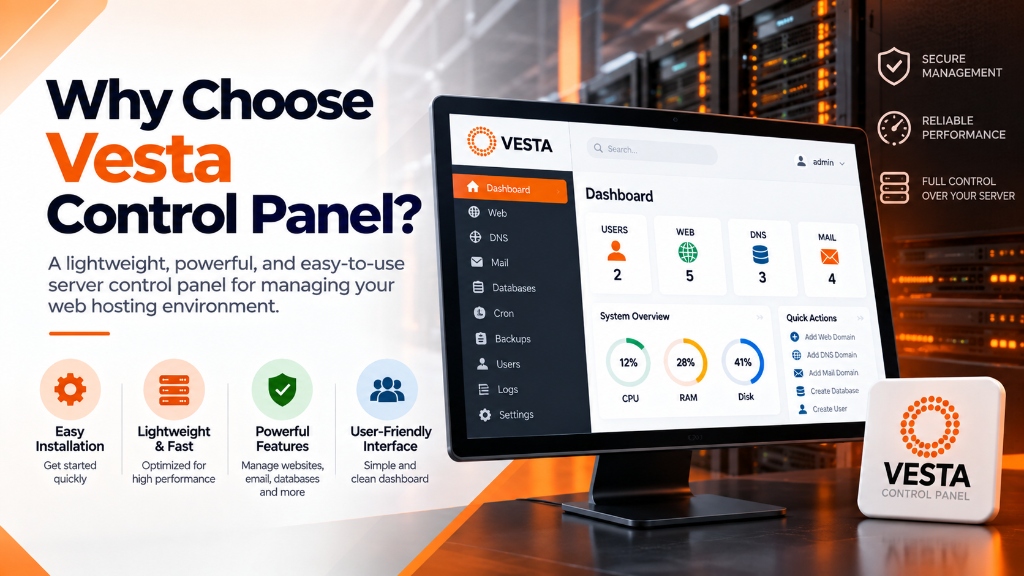
Deploying multi-tenant web hosting environments on Linux servers historically required choosing between two extremes: expensive commercial control panels like cPanel that consume multiple gigabytes of memory, or complex manual command-line configuration of virtual hosts, DNS zones, and mail transfer daemons. In the open-source hosting landscape, Vesta Control Panel (VestaCP) emerged as an ultra-lightweight, high-performance alternative designed specifically for virtual private servers. For mission-critical single-tenant workloads, deploy our enterprise dedicated server infrastructure with unshared physical compute. For organizations scaling high-throughput compute workloads, our scalable Linux VPS hosting solutions provides dedicated unmetered performance and enterprise hardware isolation.
Engineered with a minimalist philosophy, VestaCP combines an asynchronous Nginx reverse proxy with an Apache backend or pure PHP-FPM workers, providing fast static asset delivery and low memory consumption. While VestaCP captured widespread adoption among developers and digital agencies, operating it in production requires understanding its script-based architecture, command-line automation tools, historical security lessons, and the modern community-driven ecosystem that evolved into HestiaCP. This guide analyzes VestaCP’s technical architecture, production installation parameters, security hardening practices, CLI management tools, and contemporary alternatives. When selecting a server administration interface, review our comprehensive Plesk vs cPanel control panel guide.
Underlying Architecture: Bash-Driven Modularity and Web Stacks
VestaCP differs fundamentally from heavyweight control panels in how it executes server modifications and organizes administrative state.
1. The Bash Core Architecture (v-* Command Engine)
Unlike control panels that rely on monolithic background daemons written in Java, Python, or proprietary binaries, VestaCP is built upon a modular library of POSIX-compliant Bash shell scripts located in /usr/local/vesta/bin/. Every action available in the graphical user interface corresponds to a standalone command-line executable prefixed with v-.
For example, when an administrator adds a new domain in the web interface, the panel simply executes v-add-web-domain admin example.com. This script generates the relevant Nginx configuration files, creates document root directories, sets file ownership permissions, registers DNS entries in BIND9, and triggers a graceful web server reload. This transparent design allows systems engineers to automate complete server provisioning workflows using standard Bash scripts, Ansible playbooks, or CI/CD deployment pipelines without touching the web browser.
2. Dual-Engine Web Server Stack: Nginx Reverse Proxy with Apache
VestaCP popularized the hybrid web server architecture for small hosting instances:
- Nginx (Frontend Reverse Proxy – Ports 80/443): Terminates incoming HTTP and HTTPS connections, handles TLS encryption handshakes, buffers slow client connections, and serves static files (CSS, JavaScript, images, video) directly from disk without spawning PHP processes.
- Apache HTTP Server (Backend Application Engine – Port 8080): Processes dynamic PHP requests via
mod_phporphp-fpm. Apache evaluates.htaccessrewrite rules natively, preserving full backward compatibility with WordPress, Magento, and Drupal permalinks without requiring custom Nginx rewrite configurations.
This dual-engine architecture delivers high throughput under concurrency while maintaining full application compatibility. On a clean Linux VPS hosting instance, VestaCP operates with an idle memory footprint of approximately 250 MB to 400 MB of RAM, leaving available hardware resources dedicated to database queries and dynamic application caching.
Step-by-Step Production Installation and Parameter Customization
Installing VestaCP requires a fresh Linux installation without pre-existing web servers or database engines. VestaCP supports Ubuntu, Debian, CentOS, and AlmaLinux.
Generating Custom Installation Scripts
Never execute default curl-to-bash installation scripts blindly. Always inspect the installer and customize software modules to match your exact application requirements:
Deploying unnecessary services (such as named DNS servers or ClamAV antivirus) on servers with less than 2 GB of RAM leads to memory exhaustion and kernel Out-Of-Memory (OOM) termination. For a high-performance web server utilizing external DNS and remote spam filtering, execute a customized installation:
The installation completes in approximately 10 to 15 minutes. Once finished, access the management dashboard via web browser at https://YOUR_SERVER_IP:8083.
Essential Command-Line Administration (v-* Tools)
The true power of VestaCP lies in its headless command-line utilities. Add /usr/local/vesta/bin to your administrative PATH to manage the server directly from the terminal:
Core Management Commands
- Provisioning Web Domains:
- Managing MySQL Databases:
- User Account and Password Administration:
- Service Orchestration:
Security Lessons, CVE History, and Production Hardening
Operating VestaCP in modern production environments requires awareness of its security history. In 2018, automated botnets targeted unpatched VestaCP installations worldwide via credential brute-force attacks against port 8083 and an unauthenticated remote code execution vulnerability within internal cron tasks.
1. Relocating the Web Interface Port from 8083
Automated scanning scripts continuously target port 8083 searching for default VestaCP login pages. Edit VestaCP’s internal Nginx configuration located at /usr/local/vesta/nginx/conf/nginx.conf to change the listening port: To achieve balanced multi-instance agility and cost efficiency, pair your deployment with enterprise dedicated server infrastructure featuring high-speed NVMe storage arrays.
Update the firewall and restart the management daemon:
2. Restricting Port Access by IP Address
If you maintain a static office IP or manage infrastructure through a VPN gateway, restrict access to the control panel port exclusively to authorized IP addresses:
3. Implementing Automated Remote Backups
VestaCP includes an automated backup engine that packages web roots, databases, email accounts, and configuration files into compressed tarballs. Storing backups on the local server disk is dangerous; if the local NVMe drive fails, both production data and backups are lost.
Configure automated offsite SFTP backup synchronization:
Organizations managing critical web applications on dedicated servers can automate offsite snapshot replication across secondary data centers to guarantee disaster recovery.
Customizing Nginx and Apache Web Templates
VestaCP manages virtual host definitions using template files stored in /usr/local/vesta/data/templates/web/. Whenever domain properties are updated or SSL certificates are renewed, VestaCP parses these template files and generates the runtime configuration files located in /home/USER/conf/web/.
To implement custom server configurations—such as HTTP/2 server push, WebSocket reverse proxying, or Nginx FastCGI microcaching—never modify the generated files directly. Instead, create a custom template:
Creating custom templates ensures that your high-performance caching directives and custom HTTP headers persist across panel updates, domain reloads, and automated SSL certificate renewals.
Tuning PHP-FPM Pools and Zend OPcache
For high-concurrency WordPress or dynamic web applications, default PHP resource allocations require optimization. VestaCP configures individual PHP-FPM configuration pools for each user account in /etc/php/VERSION/fpm/pool.d/. Systems administrators should adjust pm.max_children, pm.start_servers, and pm.max_requests to prevent worker thread saturation during traffic spikes:
The Evolution to HestiaCP: Why the Community Forked Vesta
Following the slowdown of official VestaCP development and unaddressed security concerns between 2018 and 2020, the open-source community created HestiaCP. HestiaCP is an active, community-governed hard fork of VestaCP that preserves its lightweight Bash architecture while modernizing the platform.
Key Enhancements in HestiaCP:
- Active Security Maintenance: Rapid CVE patch releases, multi-factor authentication (2FA) for administrators, and hardened session handling.
- Multiple Concurrent PHP Versions: Native Multi-PHP support allowing administrators to run PHP 7.4, 8.1, 8.2, and 8.3 concurrently across different domains on the same server via PHP-FPM.
- Built-in Webmail and File Manager: Includes modern Roundcube webmail and an integrated graphical file manager at no additional cost (VestaCP historically charged a commercial license fee for its file manager plugin).
- Modern OS Support: First-class support for Ubuntu 22.04 / 24.04 LTS and Debian 11 / 12 with systemd security sandboxing.
Architectural Comparison Matrix
The following table compares VestaCP with its modern fork HestiaCP and commercial control panels:
| Technical Characteristic | VestaCP | HestiaCP (Vesta Fork) | cPanel & WHM | CyberPanel |
|---|---|---|---|---|
| Core Engine | Bash scripts (v-*) | Bash scripts (v-*) | Perl, PHP, C daemons | Python, OpenLiteSpeed |
| Default Web Stack | Nginx + Apache | Nginx + PHP-FPM / Apache | Apache / LiteSpeed | OpenLiteSpeed |
| Idle Memory Usage | ~250 MB – 400 MB RAM | ~300 MB – 500 MB RAM | 1.5 GB – 2.0 GB RAM | 800 MB – 1.2 GB RAM |
| Multi-PHP Support | Requires manual compilation | Native 1-click Multi-PHP | Native (MultiPHP Manager) | Native |
| Two-Factor Authentication | Not Supported natively | Native TOTP / 2FA | Native (Google Authenticator) | Native (2FA) |
| Licensing Cost | Free (Paid file manager) | 100% Free & Open Source | Tiered monthly per account | Free / Paid Enterprise |
Common Pitfalls in VestaCP Server Management
Avoiding these critical administrative errors preserves server availability and data integrity:
- Running VestaCP with ClamAV on Small Instances: Installing ClamAV and SpamAssassin on a VPS with less than 3 GB of RAM will cause the Linux kernel OOM killer to terminate MySQL or Apache repeatedly. ClamAV alone consumes over 1.2 GB of RAM during virus definition updates. Exclude ClamAV during installation on smaller instances.
- Failing to Update Let’s Encrypt Email Addresses: If you leave the default administrative email blank or invalid during installation, Certbot challenges will fail, preventing automated TLS certificate issuance and renewal.
- Overwriting Native Configuration Files Directly: VestaCP uses template files located in
/usr/local/vesta/data/templates/web/. If you manually edit an active Nginx virtual host in/home/user/conf/web/, VestaCP will overwrite your edits whenever domain settings are updated in the panel. Always create custom template files (e.g.,custom.tplandcustom.stpl) to ensure changes persist across reloads. - Leaving Port 8083 Open to Public Internet Scans: Failing to change the default control panel port or failing to deploy Fail2ban jails against repeated login failures exposes the root account to automated password spray attacks.
Frequently Asked Questions
Q:
Which control panel is better for web hosting, cPanel or Plesk?
Q:
Can I migrate existing websites from cPanel to Plesk without data loss?
Q:
What operating systems support modern web hosting control panels?
Q:
How does a control panel simplify multi-tenant account isolation?
Q:
Is root administrative access required to install and manage a control panel?
Q:
What automated backup mechanisms are integrated into hosting control panels?
Infrastructure Decision Framework: Choosing Your Deployment
Balancing low latency transit, dedicated hardware isolation, and predictable operating costs ensures long-term performance stability for enterprise applications.
Deploy high-performance scalable VPS hosting solutions equipped with enterprise NVMe storage arrays, redundant network uplinks, and 24/7 expert engineering support from Onlive Infotech.
For streamlined domain management and server configuration across multi-tenant environments, refer to our comprehensive Plesk vs cPanel hosting control panel guide.
•

✓
