
Selecting a web hosting control panel dictates administrative automation, client provisioning workflows, and resource governance. Whether deploying cPanel & WHM for commercial reseller hosting with CloudLinux LVE isolation, or Plesk Obsidian for multi-tier agency development with native Docker, Git webhooks, and Windows Server support, choosing the right platform eliminates management overhead.
Explore our flexible VPS hosting plans for flexible virtualization.
- Workflow Automation: Native API integration with WHMCS for zero-touch account creation, quota scaling, and billing suspension.
- Multi-Tenant Isolation: Strict permission boundaries and resource controls protect parent server stability from individual tenant spikes.
- Operating System Alignment: Choose cPanel for Enterprise Linux or Plesk for dual Linux/Windows hybrid environments.
Managing Unix and Linux server infrastructure requires editing plain-text configuration files, orchestrating systemd service units, auditing network sockets, and configuring firewall tables. While seasoned systems administrators frequently navigate terminal environments using SSH, managing complex production services across multiple servers introduces administrative friction. Commercial control panels like cPanel and Plesk solve this through graphical interfaces, but they impose substantial monthly licensing fees and rewrite native operating system configuration files into proprietary database schemas. For mission-critical single-tenant workloads, deploy our enterprise dedicated server infrastructure with unshared physical compute. For organizations scaling high-throughput compute workloads, our scalable Linux VPS hosting solutions provides dedicated unmetered performance and enterprise hardware isolation.
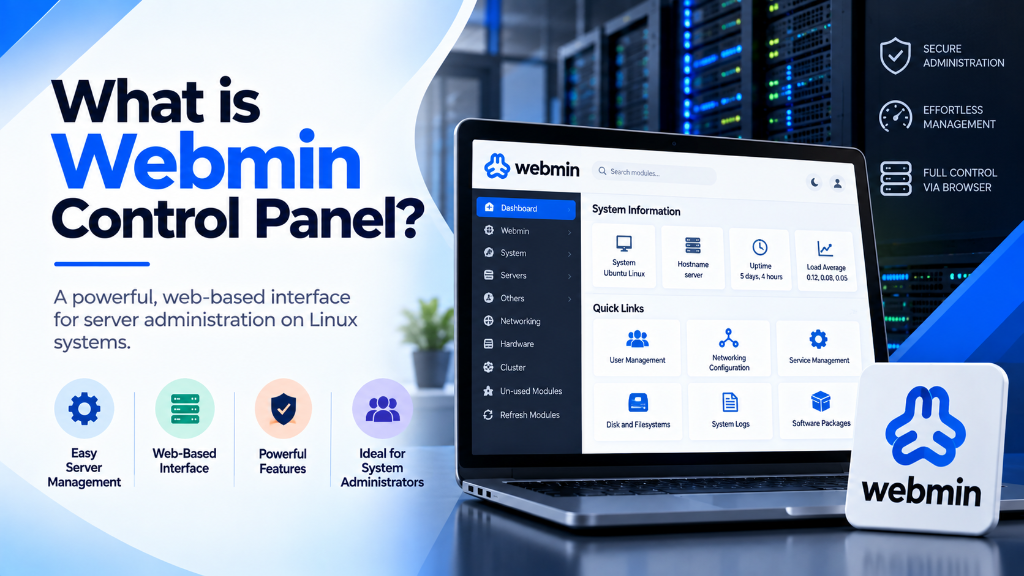
Webmin provides an open-source, lightweight alternative. Created by Jamie Cameron in 1997 and maintained continuously by an active systems engineering community, Webmin is a modular, web-based systems administration dashboard for Unix-like operating systems. Unlike commercial panels that take over server software stacks, Webmin interacts directly with native Linux configuration files (such as /etc/fstab, /etc/network/interfaces, and /etc/nginx/). This architectural approach preserves manual command-line compatibility while exposing granular server controls through an encrypted web interface. This tutorial examines Webmin’s underlying architecture, installation on modern enterprise distributions, security hardening, module management, and its broader ecosystem. When selecting a server administration interface, review our comprehensive Plesk vs cPanel control panel guide.
Underlying Architecture: The Perl Core and Direct File Manipulation
To understand why Webmin is uniquely resilient compared to traditional web hosting control panels, systems architects must examine how it processes configuration commands.
1. Direct Configuration File Editing
Most commercial hosting panels run relational databases (such as SQLite or MySQL) to maintain internal state records of domains, email forwarders, and user privileges. The panel generates server configuration files from these database tables. If an administrator edits an Apache or Nginx virtual host file directly via Nano or Vim, the commercial panel frequently overwrites those manual changes during the next scheduled cron run.
Webmin operates on a Direct File Manipulation Model. Webmin contains zero proprietary databases. When you modify an IP routing table, add an NFS export, or adjust an SSH daemon setting in the Webmin interface, Webmin’s backend modules parse the exact native configuration file on disk, apply the requested edits, and instruct the relevant system service to reload. An administrator can modify a configuration file via the command line, open Webmin, and immediately see the changes reflected in the GUI without synchronization conflicts.
2. The Lightweight Web Engine (miniserv.pl)
Webmin does not require an external web server like Apache, Nginx, or LiteSpeed to run. It includes a custom, standalone micro-web server written in Perl called miniserv.pl. By default, miniserv.pl listens on TCP port 10000 and handles transport layer security (TLS) natively using OpenSSL libraries.
Because miniserv.pl is engineered strictly for administrative requests, Webmin consumes negligible system resources. When idle, Webmin processes sleep, consuming approximately 50 MB to 80 MB of RAM. This makes Webmin well-suited for resource-constrained Linux VPS hosting slices where every megabyte of memory must remain dedicated to active application workloads.
The Extended Webmin Family: Virtualmin, Usermin, and Cloudmin
Webmin is the parent project of an interconnected suite of open-source server management platforms:
- Webmin: The foundational operating system and service configuration engine, designed for systems administrators managing core server infrastructure.
- Virtualmin: A powerful web hosting and multi-tenant domain management plugin that installs on top of Webmin. Virtualmin turns a clean Linux server into a comprehensive hosting environment, managing Apache/Nginx virtual hosts, BIND9 DNS zones, Postfix/Dovecot email servers, MySQL databases, and Let’s Encrypt SSL certificates.
- Usermin: A webmail and user-level dashboard interface. While Webmin is reserved for the root superuser, Usermin allows non-root mail users to check email, configure spam filters, manage forwarders, and edit personal files via a secure browser portal.
- Cloudmin: A cloud orchestration platform for managing multiple virtual machines across physical hypervisors, supporting KVM, Xen, OpenVZ, and Proxmox compute nodes.
Step-by-Step Installation on Ubuntu and AlmaLinux
Always install Webmin using official package repositories rather than manual tarball extractions. Using official repositories ensures that security patches and module updates are managed through your native package manager (APT or DNF).
Installing Webmin on Ubuntu 22.04 / 24.04 LTS
Installing Webmin on AlmaLinux 9 / Rocky Linux 9 / RHEL
Once installed, Webmin binds to all active IPv4 interfaces on port 10000. Access the web console by opening your web browser at https://YOUR_SERVER_IP:10000. Because modern enterprise distributions ship with active firewalls enabled by default, ensure you permit traffic across port 10000 before attempting initial connection:
Authenticate using your server’s root credentials or any user configured with sudo administrative privileges. To achieve balanced multi-instance agility and cost efficiency, pair your deployment with enterprise dedicated server infrastructure featuring high-speed NVMe storage arrays.
Production Security Hardening for Webmin
Because Webmin provides root-level access to your operating system, leaving an unhardened installation exposed on public port 10000 invites automated brute-force attacks and vulnerability scanning. Implement these enterprise hardening steps immediately following installation.
1. Changing the Default Listening Port
Automated port scanners routinely probe port 10000 for vulnerable Webmin installations. Change the port in /etc/webmin/miniserv.conf:
Restart the Webmin service and update your firewall:
2. Restricting Access by IP Address Allowlisting
If your administrative workstations operate from static IP addresses or a corporate VPN gateway, restrict Webmin access so that unauthorized IPs cannot reach the login prompt. Add the allow directive to /etc/webmin/miniserv.conf:
3. Enforcing Two-Factor Authentication (2FA)
Webmin natively supports Two-Factor Authentication using Time-based One-Time Passwords (TOTP). Navigate to Webmin → Webmin Configuration → Two-Factor Authentication. Select Google Authenticator, install the required Perl module (Authen::OATH), and scan the generated QR code with your mobile authenticator application. This ensures that compromised passwords alone cannot grant access to your server.
4. Installing a Valid TLS Certificate
By default, Webmin generates a self-signed SSL certificate, causing browser security warnings. You can request a free, auto-renewing Let’s Encrypt certificate directly within Webmin by navigating to Webmin → Webmin Configuration → SSL Encryption → Let’s Encrypt. Enter your server’s fully qualified domain name (FQDN) to bind trusted certificates automatically.
Core Administrative Modules and Operational Workflows
Webmin organizes administrative functionality into modular categories. Here are the core modules systems administrators use daily:
1. System Administration and Hardware Monitoring
- Disk and Filesystems: Mount local filesystems, adjust mount options in
/etc/fstab, manage Logical Volume Management (LVM) volume groups, and audit disk quotas per user. - RAID Configuration: Monitor software RAID arrays configured via
mdadm, audit drive health status, and rebuild degraded mirror volumes. - Process Manager: View real-time CPU and memory utilization, isolate runaway processes, adjust process nice priority levels, and send termination signals without terminal access.
- Scheduled Cron Jobs: Create, edit, and audit system cron jobs across all user accounts through a structured scheduling interface, validating crontab syntax and execution environments.
- System Log Viewer: Stream and filter systemd journal logs (
journalctl), authentication logs (/var/log/auth.logor/var/log/secure), and web access logs with real-time keyword highlighting and regex search. - Package and Repository Management: Audit installed software packages, search distribution mirrors, execute non-interactive security patches, and configure automated unattended security upgrades.
2. Server Daemons and Web Stack Management
- Nginx / Apache Webserver: Edit virtual host definitions, configure SSL parameters, manage reverse proxy directives, and audit access logs.
- MySQL / PostgreSQL Database Server: Create databases, manage database users, execute raw SQL queries, adjust connection limits, and configure automated database dumps.
- BIND DNS Server: Manage forward and reverse DNS zone files, configure master-slave replication, and manage DNSSEC keys.
- SSH Server Configuration: Adjust daemon listening ports, disable root logins, manage authorized public keys, and enforce cryptographic cipher lists.
3. Firewall and Network Security
Webmin provides graphical management of Netfilter firewall rules. Whether your distribution uses raw iptables, modern nftables, Ubuntu’s ufw, or Red Hat’s firewalld, Webmin provides visual rule builders to filter incoming traffic, establish port forwarding, and track dropped packet counters in real time.
For organizations deploying high-density enterprise infrastructure on dedicated servers, Webmin provides unified oversight across multiple network interfaces, VLAN tags, and hardware monitoring sensors.
Webmin vs. Cockpit vs. cPanel: Architectural Comparison
Understanding where Webmin fits in the systems management landscape helps determine when to deploy it over alternative platforms:
| Technical Parameter | Webmin | Red Hat Cockpit | cPanel & WHM |
|---|---|---|---|
| Primary Target | General Systems Administration | Modern Linux Server Administration | Commercial Multi-Tenant Web Hosting |
| Core Language | Perl (Modular micro-server) | C / JavaScript (systemd-driven) | Perl, PHP, C, Relational DBs |
| Configuration Model | Direct native file editing | Systemd and D-Bus APIs | Proprietary databases & templates |
| Idle Memory Footprint | ~50 MB – 80 MB RAM | ~30 MB – 60 MB RAM | 1.5 GB – 2.0 GB RAM |
| Licensing Cost | Free, Open-Source (BSD-like) | Free, Open-Source (LGPL) | Per-account tiered monthly subscription |
| Multi-Tenant Hosting | Requires Virtualmin plugin | Not Supported | Native core feature (WHM / cPanel) |
| CLI Compatibility | 100% Native (Preserves edits) | 100% Native (systemd native) | Partial (Must use cPanel scripts) |
Common Pitfalls in Webmin Administration
Avoiding these critical administrative errors preserves security and system stability:
- Leaving Webmin Exposed on Default Port 10000 Without IP Restrictions: Running Webmin on its default port without firewall rate limiting or IP allowlisting invites automated botnet credential attacks. Always change the port and implement firewall restrictions.
- Installing Conflicting Third-Party Control Panels Alongside Webmin: Attempting to run Webmin/Virtualmin on the same server as cPanel, Plesk, or CyberPanel causes configuration conflicts. Each panel attempts to manage Apache, Nginx, and DNS zone files using conflicting conventions, leading to service failure.
- Upgrading Core Distribution Versions via Webmin GUI: Performing major operating system upgrades (e.g., upgrading Ubuntu 20.04 to 22.04) through the Webmin web interface can stall if the network service or Perl environment resets during installation. Always execute major operating system distribution upgrades via an active SSH or IPMI terminal session.
- Granting Unrestricted Webmin Logins to Junior Staff: Webmin allows fine-grained access control. When creating sub-administrators, do not grant full root module access. Restrict their accounts strictly to the specific modules they need to manage (such as DNS records or MySQL databases).
Frequently Asked Questions
Q:
Which control panel is better for web hosting, cPanel or Plesk?
Q:
Can I migrate existing websites from cPanel to Plesk without data loss?
Q:
What operating systems support modern web hosting control panels?
Q:
How does a control panel simplify multi-tenant account isolation?
Q:
Is root administrative access required to install and manage a control panel?
Q:
What automated backup mechanisms are integrated into hosting control panels?
Infrastructure Decision Framework: Choosing Your Deployment
Balancing low latency transit, dedicated hardware isolation, and predictable operating costs ensures long-term performance stability for enterprise applications.
Deploy high-performance scalable VPS hosting solutions equipped with enterprise NVMe storage arrays, redundant network uplinks, and 24/7 expert engineering support from Onlive Infotech.
For streamlined domain management and server configuration across multi-tenant environments, refer to our comprehensive Plesk vs cPanel hosting control panel guide.
•

✓
